Your whole advice practice. One platform.
Clients, compliance, commission, renewals, planning and your team’s work — in one place, for one practice or a whole group. Built inside a working South African advice practice.
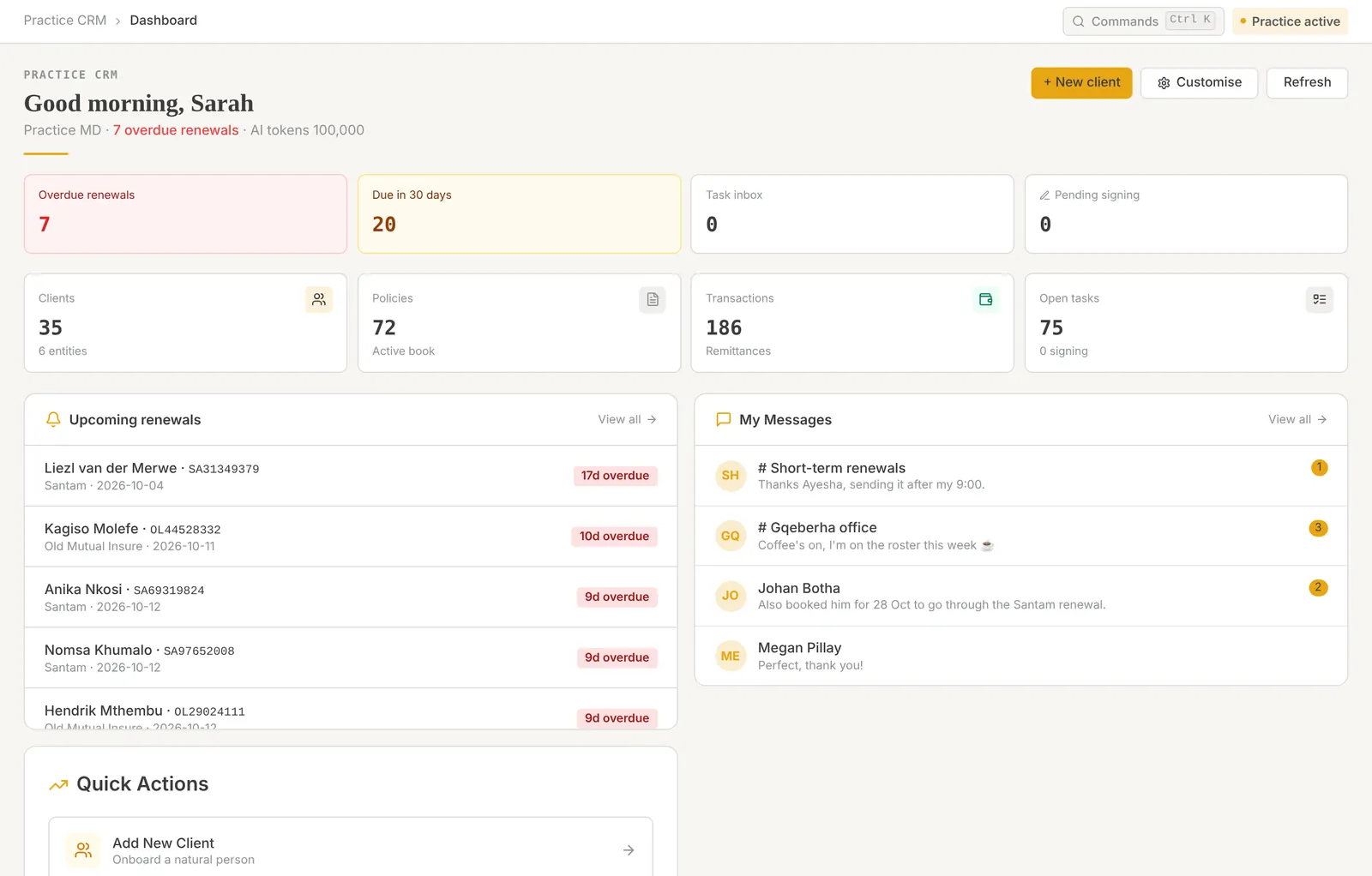

Stop running your practice across five systems that never agree
Today
- Client details in one system, documents in a shared drive
- Commission reconciled in spreadsheets every month
- Renewals tracked from memory and calendars
- Work lost in someone’s email inbox
- Compliance chased file by file before an audit
With Wealth Stakr
- One client file that carries the whole relationship
- Statements imported, matched and split per adviser
- Every renewal listed 90 days out, with schedules compared
- Every task assigned, tracked and visible in one inbox
- A compliance folder per policy, checked before it is submitted
Point at a line to see its match.
Pick a job. See the screen.
Eight real screens from the product, shown on a fictional demo practice.
Capture a client once, properly
Typing a 13-digit SA ID checks it and fills in date of birth and gender. Banking, FICA documents, family and entities sit on the same form.
Client onboarding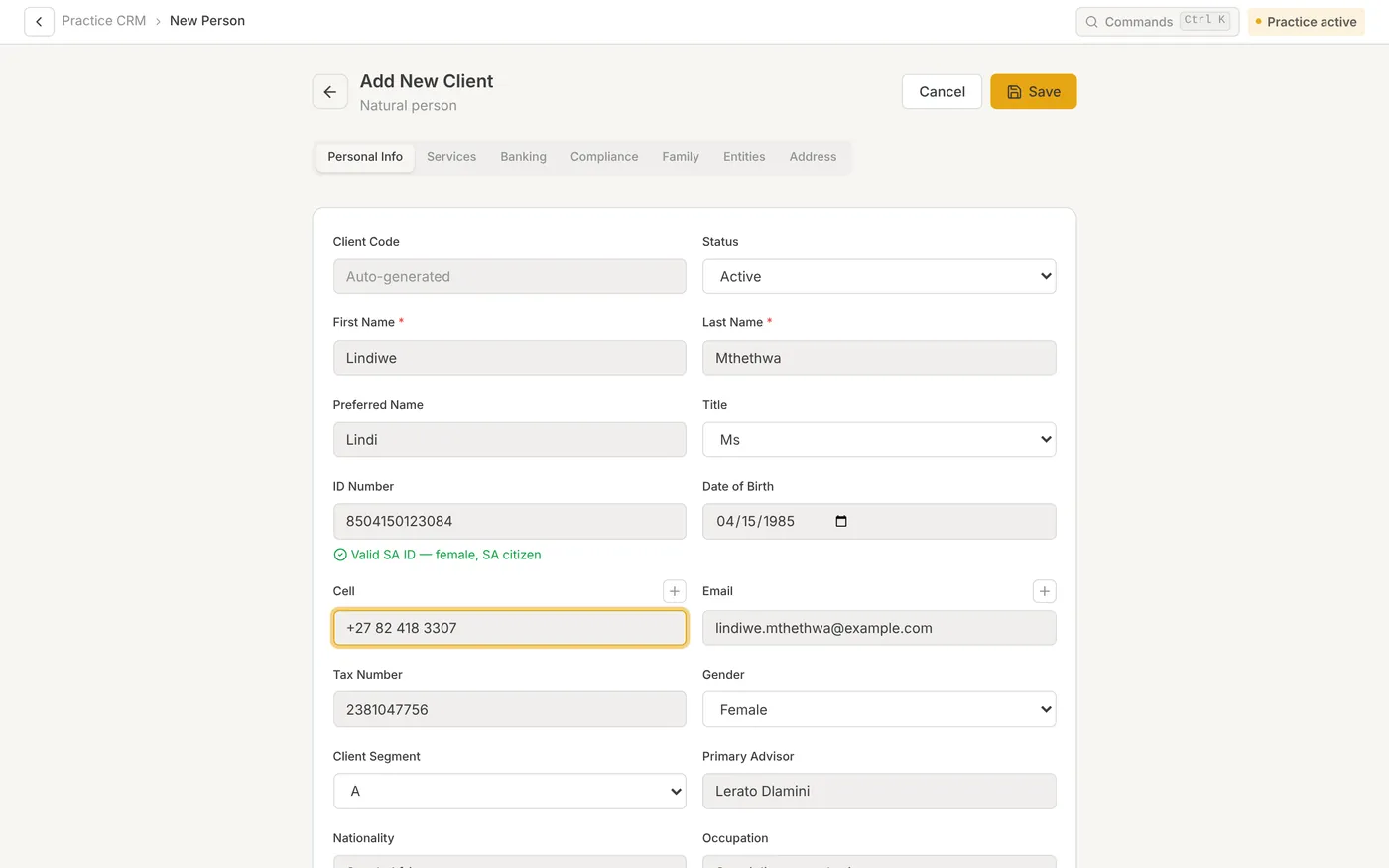
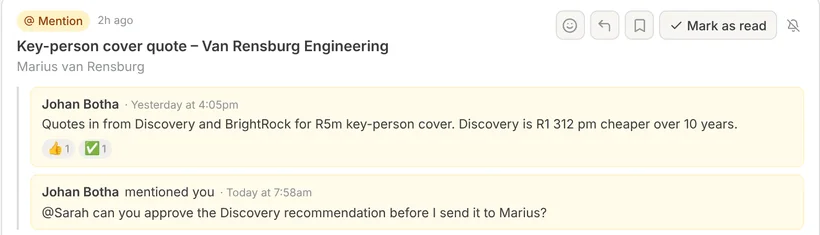
One inbox for everything that needs you
Each card is one task with its latest updates. React or reply without opening the task, and mute what you don’t need.
Tasks & task inbox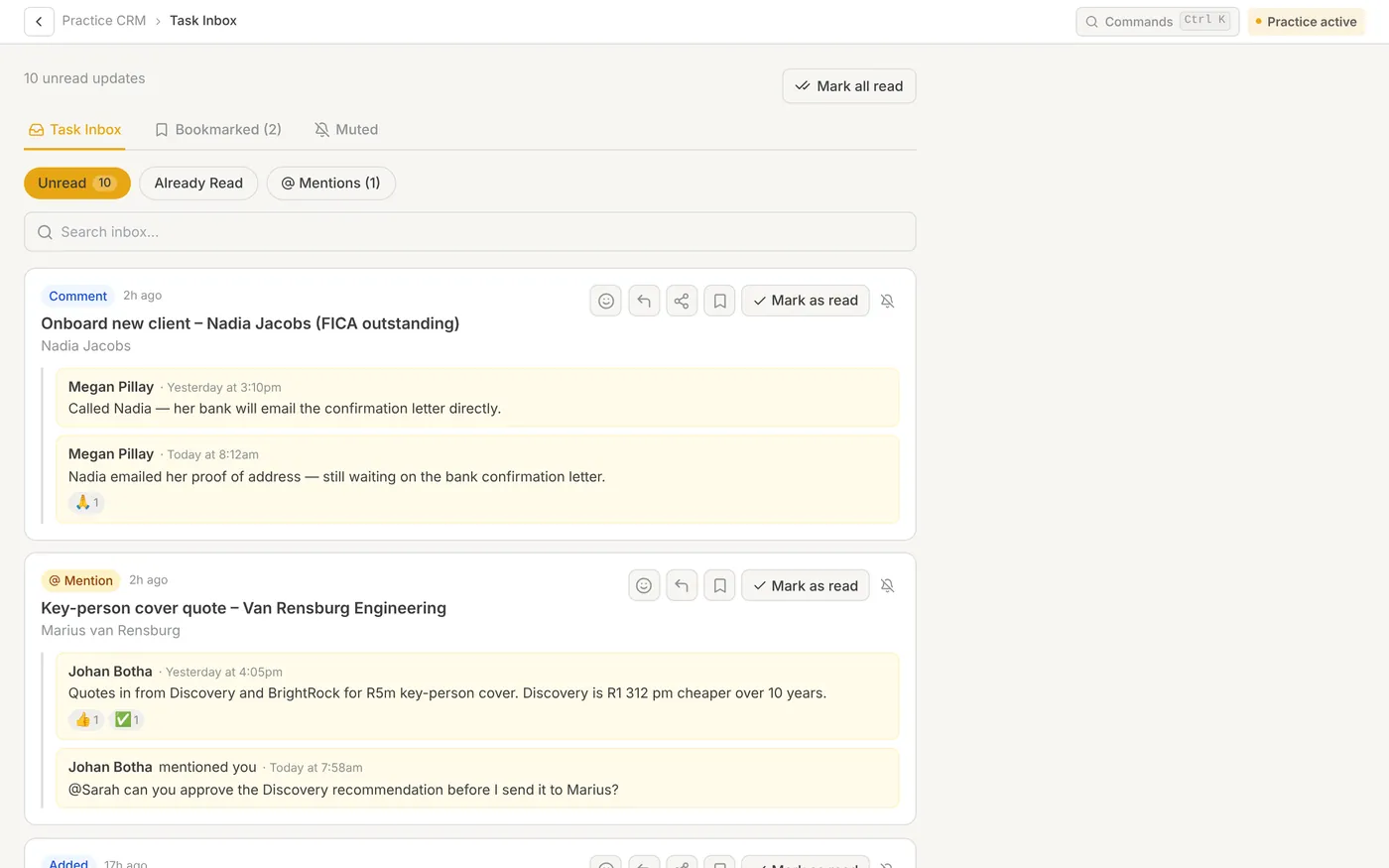
Every renewal, 90 days out
Overdue, 30, 60 and 90-day views of every short-term renewal, with who it is assigned to and where it stands.
Short-term renewals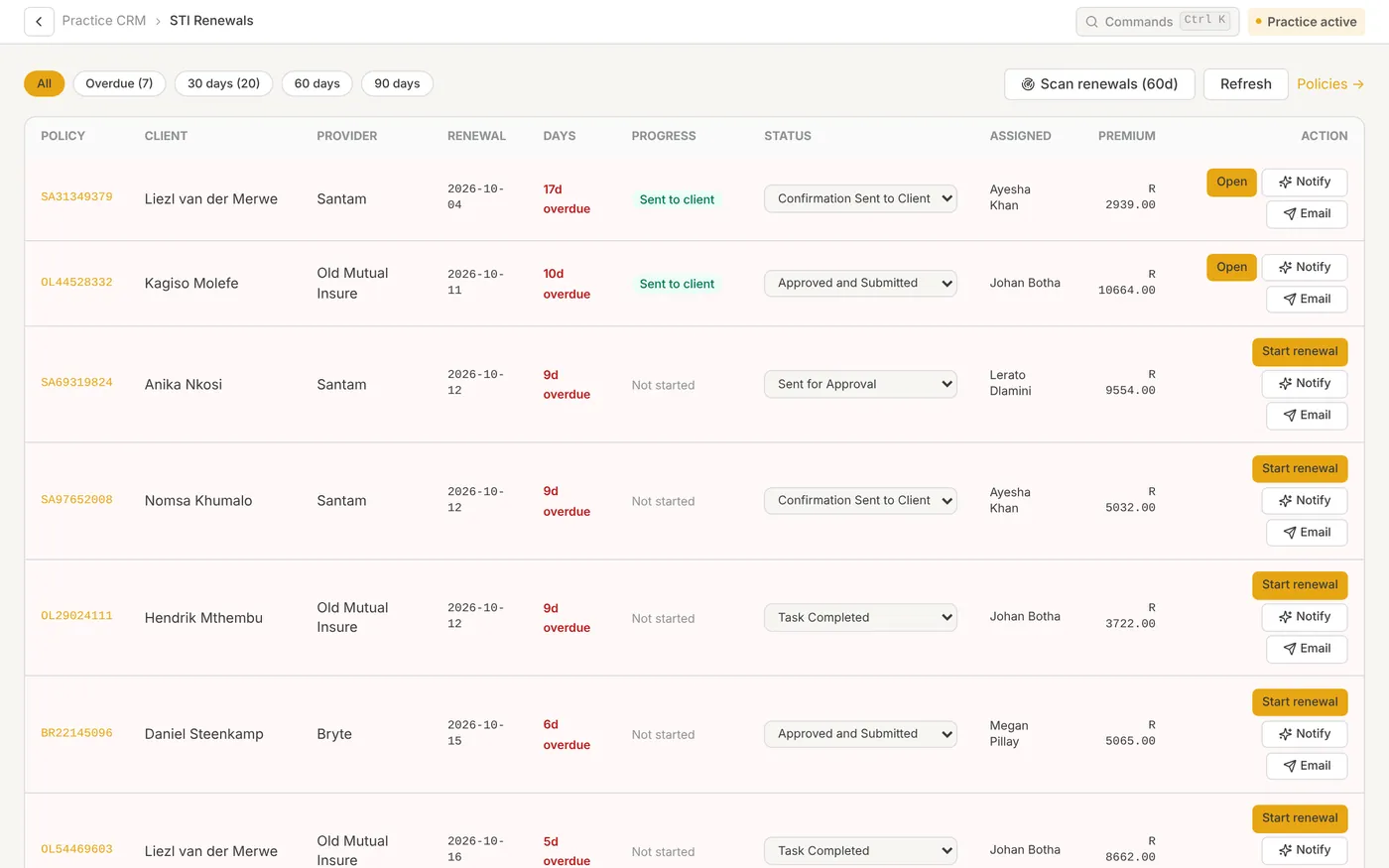
Commission waits for the signed-off file
Imported commission lines are held in the pipeline while the compliance file is outstanding, then released to the adviser’s pay.
Commission & adviser pay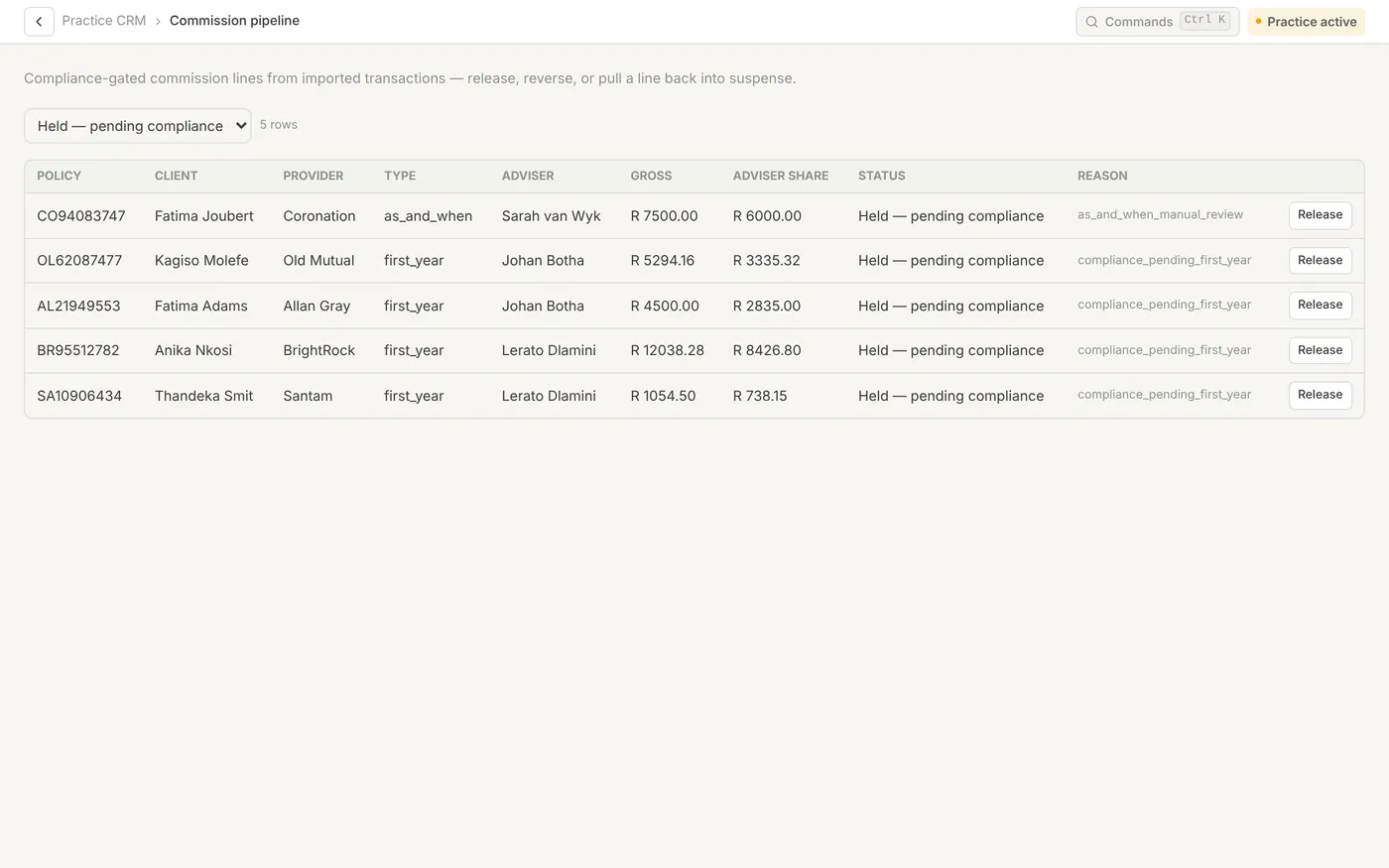
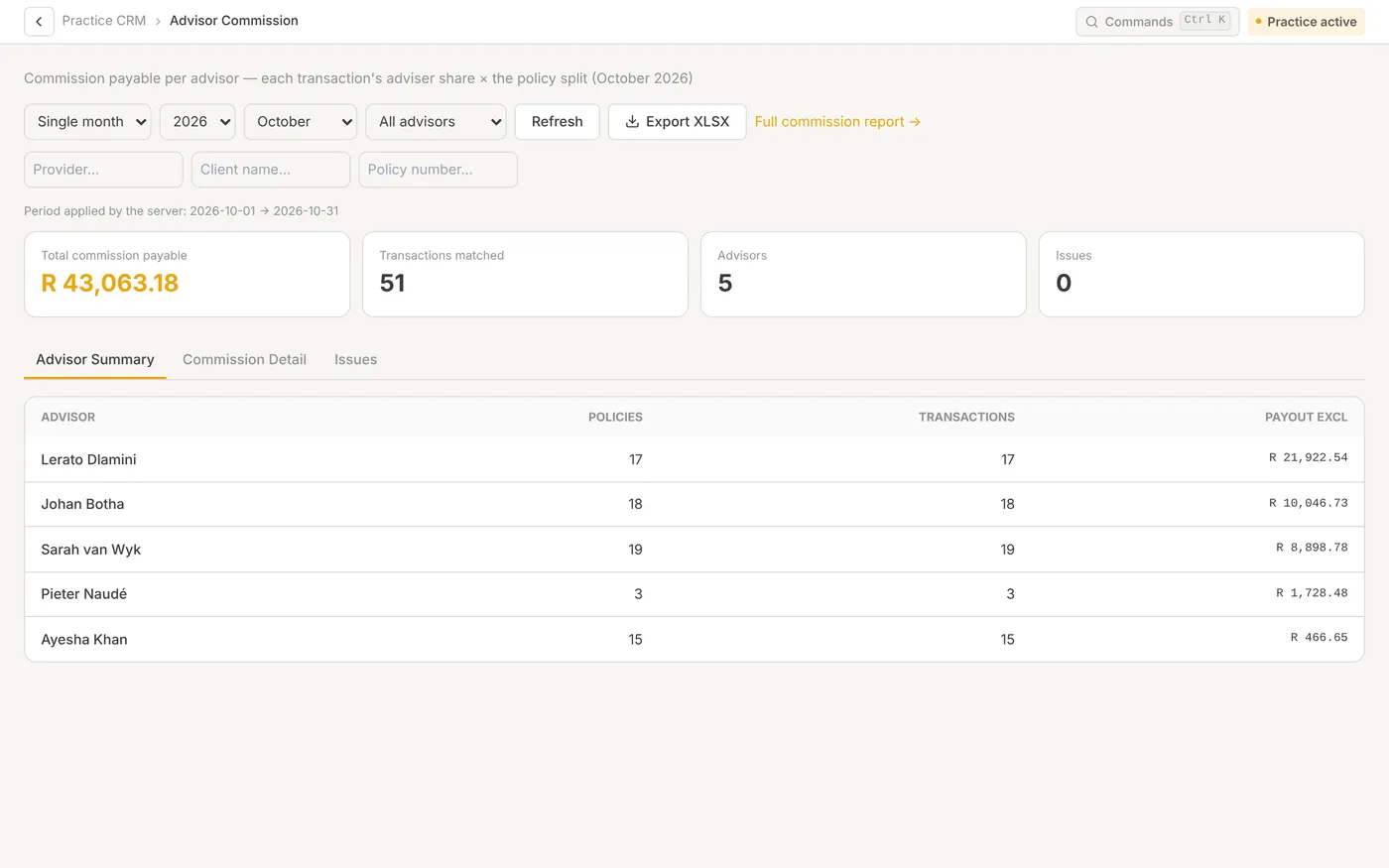
Each adviser sees what they are owed
The payout for the period, line by line, from the split on each policy. It exports to Excel.
Commission & adviser pay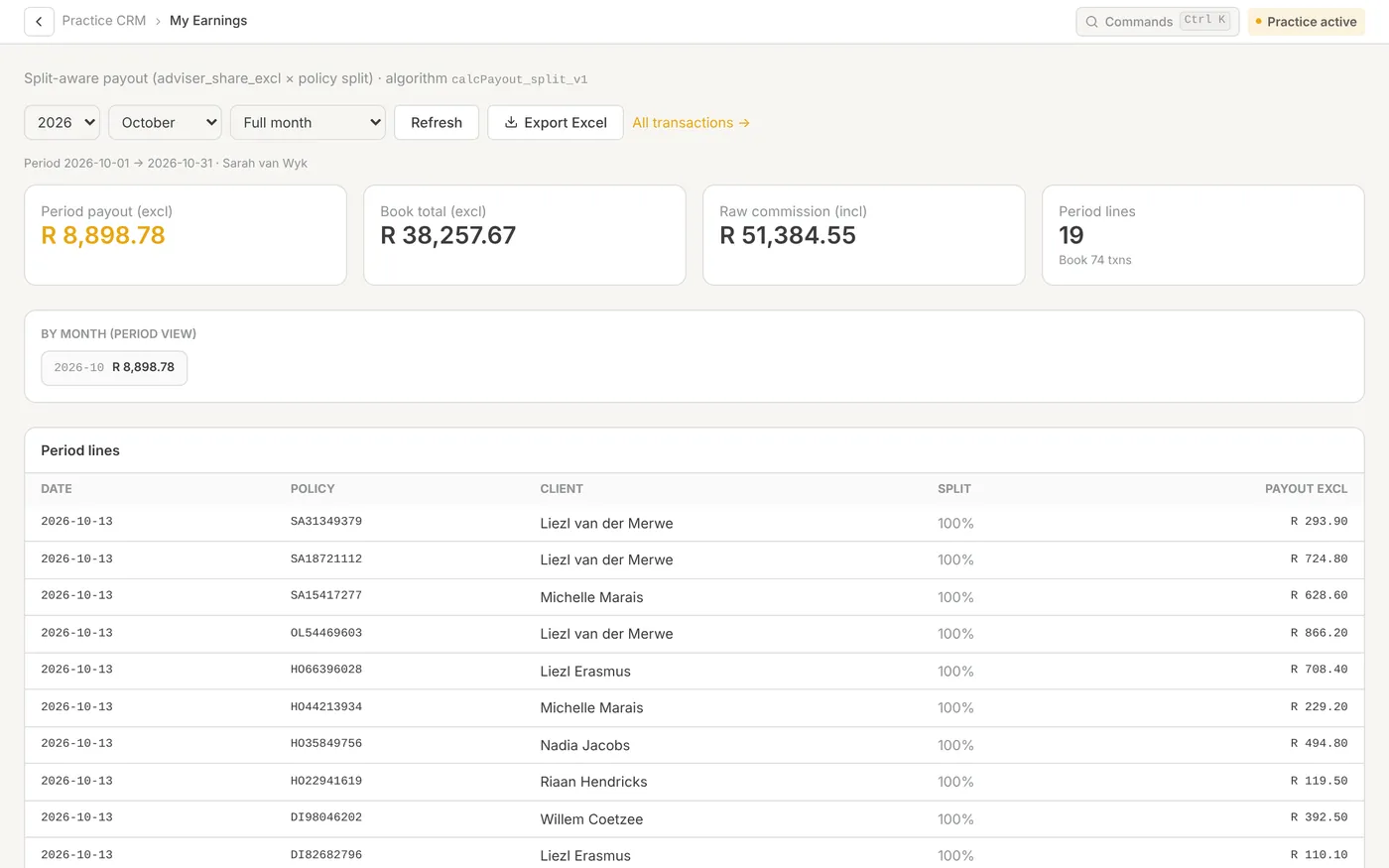
Plan from the client’s real numbers
A retirement gap for a couple: how funded they are, the capital at retirement and the age it runs out. Every scenario is saved against the client.
Planning & calculators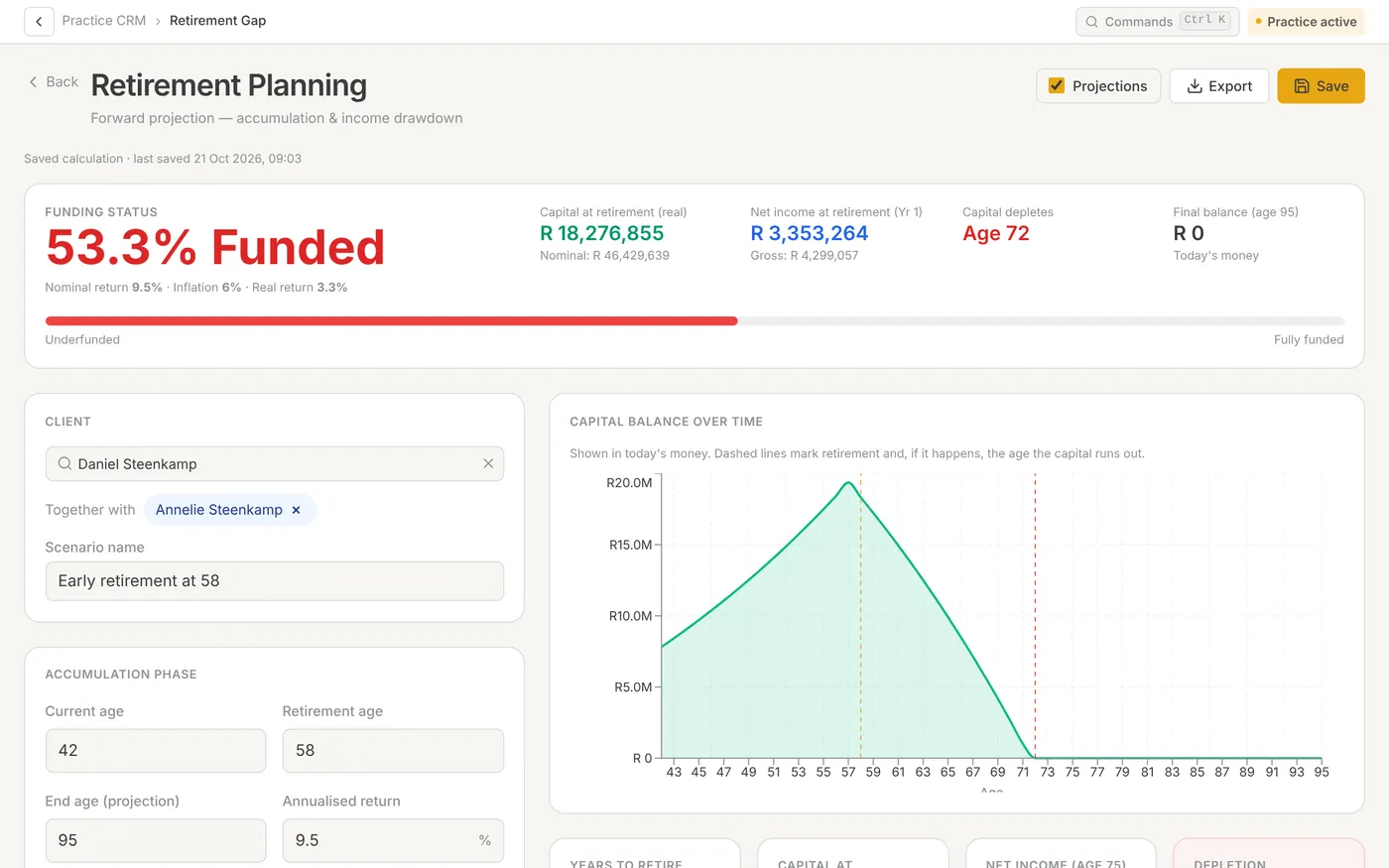
One client PDF, built from what you tick
Choose the sections and scenarios, put them in order, preview the report and save it to the client.
Planning & calculators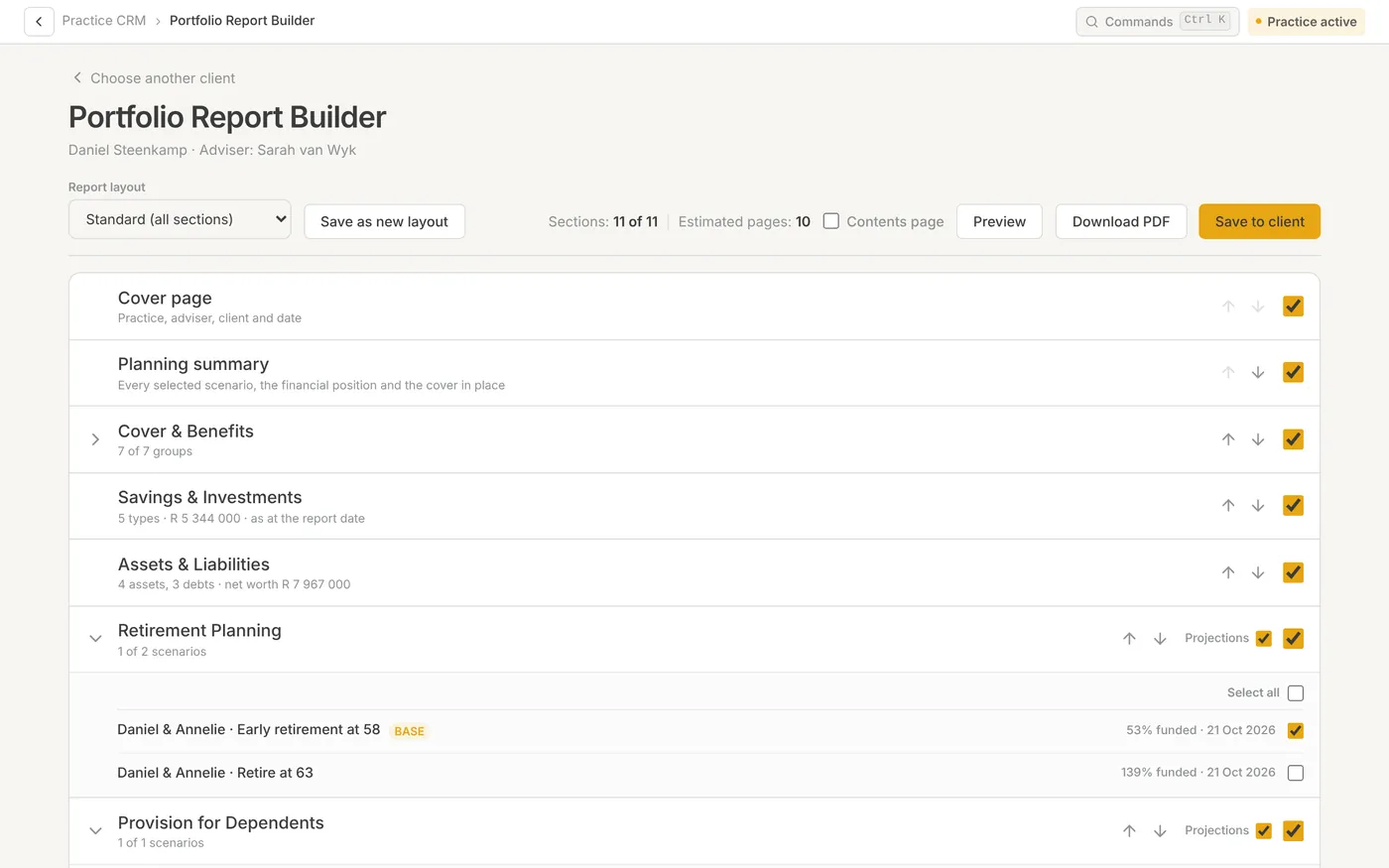
Time against the tasks you already work
Start a timer on a task or log time by hand. A forgotten timer stops itself.
Leave & time
The work that hurts most, handled in one place
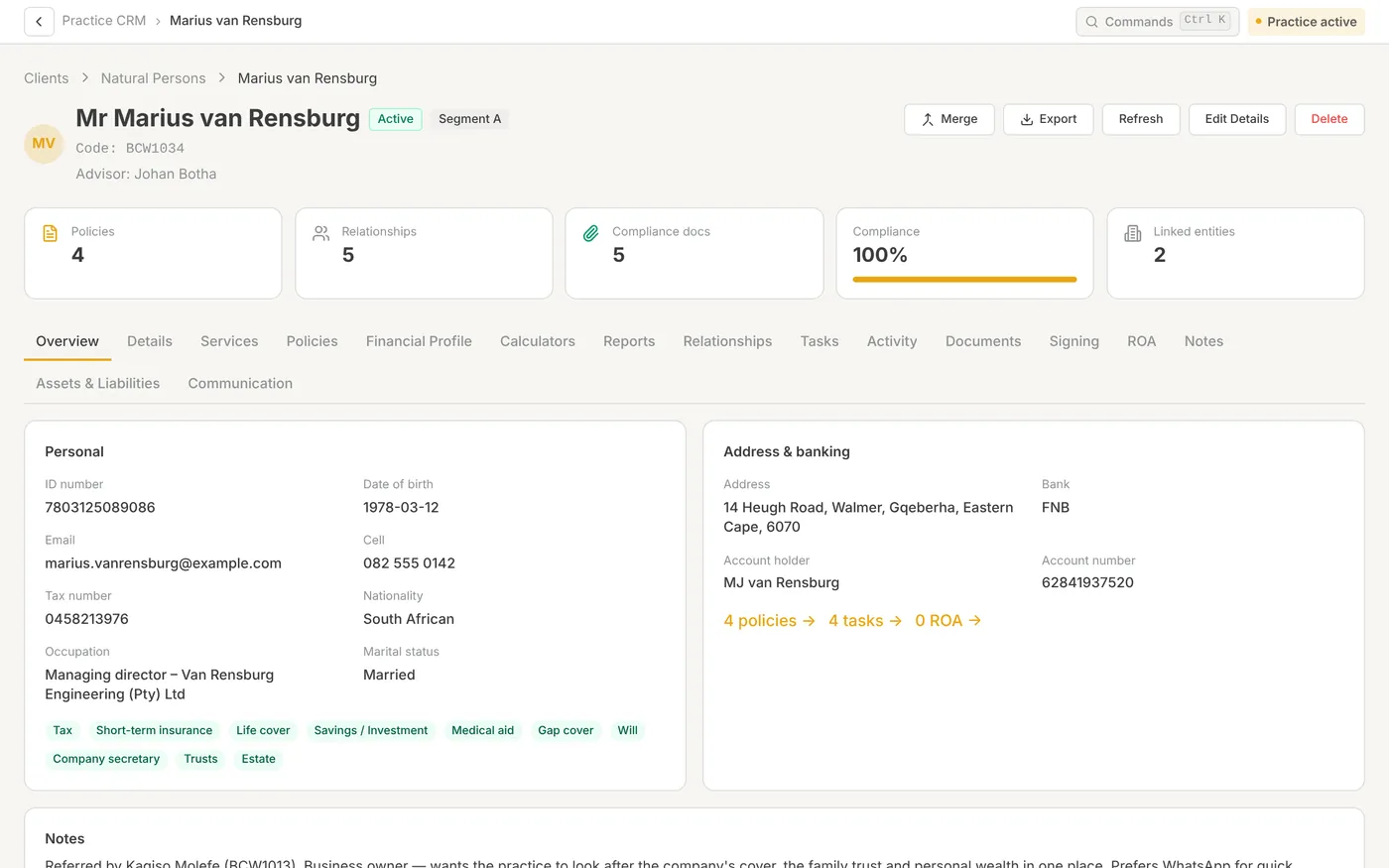
Every policy, document and open task on one file
A client is not a contact card. The file carries the cover, the people and entities around them, the advice you gave, the documents that prove it and what still needs doing.
- Typing a 13-digit SA ID checks it and fills in date of birth and gender
- Duplicate check on name and ID before a second record is created
- Spouse, company and family trust linked as real records
- Activity log of who changed what, and when
Answer “what am I owed?” without a week in Excel
Import the remittance file unchanged. Each line lands against a policy, and each adviser’s payout comes from the splits on that policy, with effective dates.
- Per-policy adviser splits, edited one at a time or in bulk
- Payment run per adviser, exported to Excel for payroll or EFT
- Unmatched lines wait for review instead of disappearing
- Advisers can be locked to their own earnings
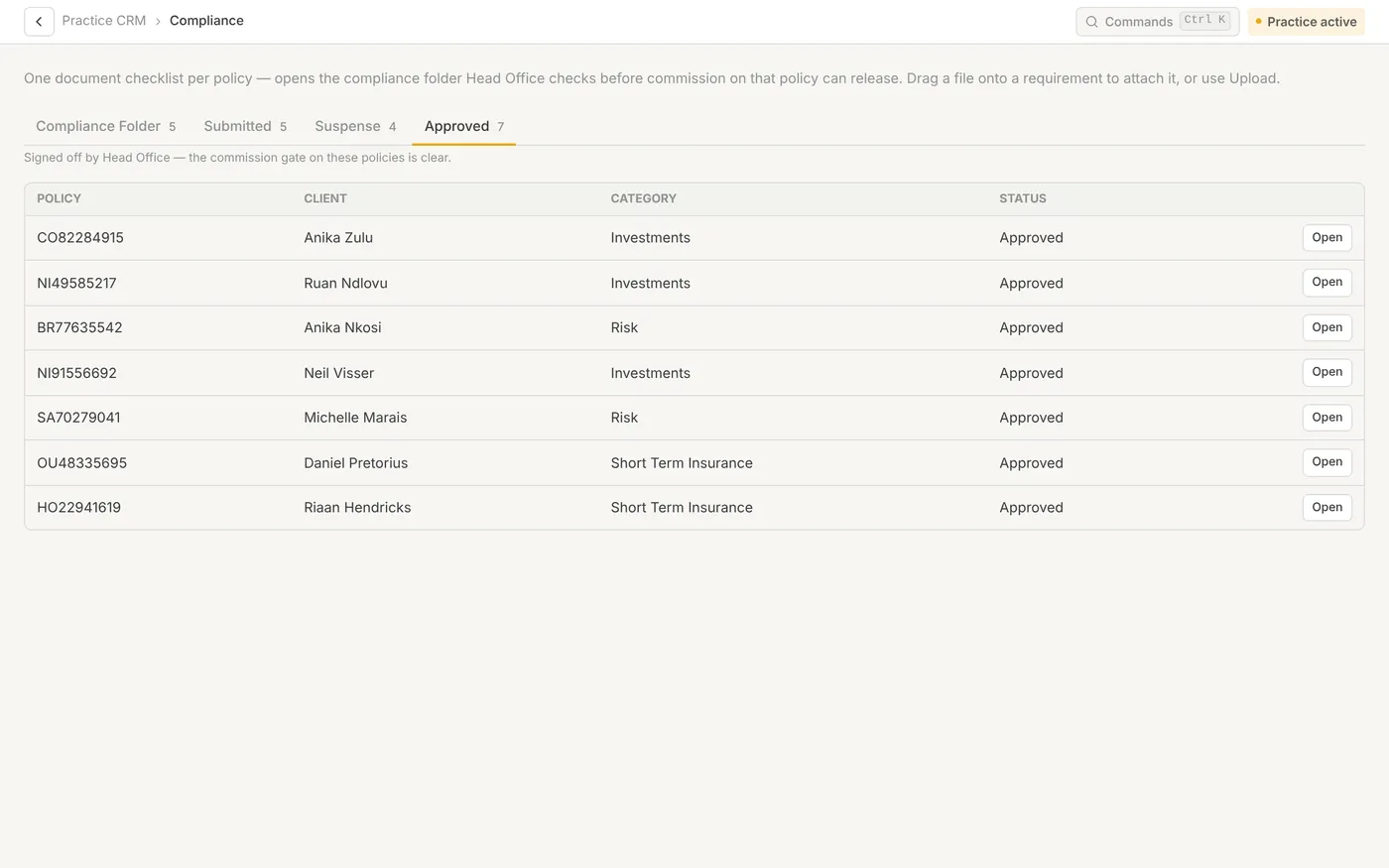
Compliance evidence that grows as you work
Open a compliance folder for a policy and it knows which documents that product needs. FICA documents carry over from onboarding, and a completeness check runs before anything is submitted.
- Fixed checklist per category: risk, investments, short-term
- Folders with missing documents are held back with a list of what’s missing
- Head office can approve, query a specific document or reject
- First-year and renewal commission waits for an approved file
Renewals surface before they lapse
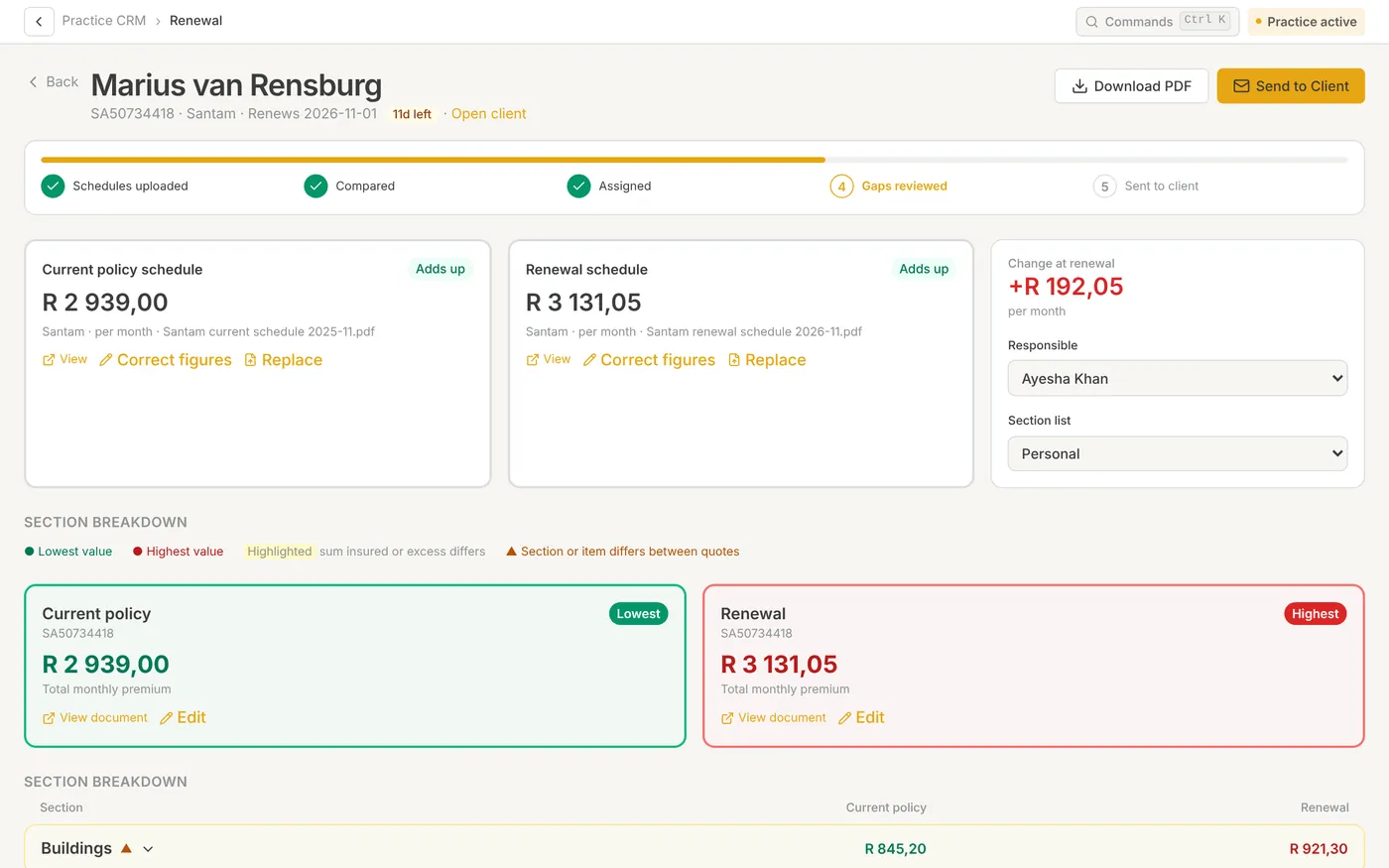
Every policy due in the next 90 days gets a renewal task automatically. Upload the current and renewal schedules and the system lines them up section by section.
- AI reads both schedules item by item and checks they add up
- Premium change per month, dropped cover and possible gaps flagged
- Client-ready review sent as a PDF or email
- Each adviser sees the renewals on their own book
Everything a practice runs on
No add-ons to stitch together and no exports between systems.
Client onboarding
Capture a client once. ID checks, FICA documents, relationships, policies and entities on one file.
Learn moreTasks & task inbox
Assign work, follow every comment and status change in one inbox, and reuse templates for repeat jobs.
Learn moreShort-term renewals
Every renewal due in 90 days, schedules read by AI, gaps flagged and a client-ready review.
Learn moreCompliance & ROA
A compliance folder per policy with a completeness check, and an ROA builder that drafts each section.
Learn moreCommission & adviser pay
Import statements, match them to policies and run each adviser’s pay from per-policy splits.
Learn morePlanning & calculators
Financial profile, retirement gap, dependants, estate liquidity, CGT, cover projections and a report builder.
Learn moreLeave & time
Leave rules, requests and approvals, plus time tracked against the tasks your team already works.
Learn moreAsk Stakr
An AI assistant that answers in plain language from your own client book and the How-To guides.
Learn moreNew Chats, notes with dictation, client teams and a practice library. See what’s new
Plan from the client’s real numbers
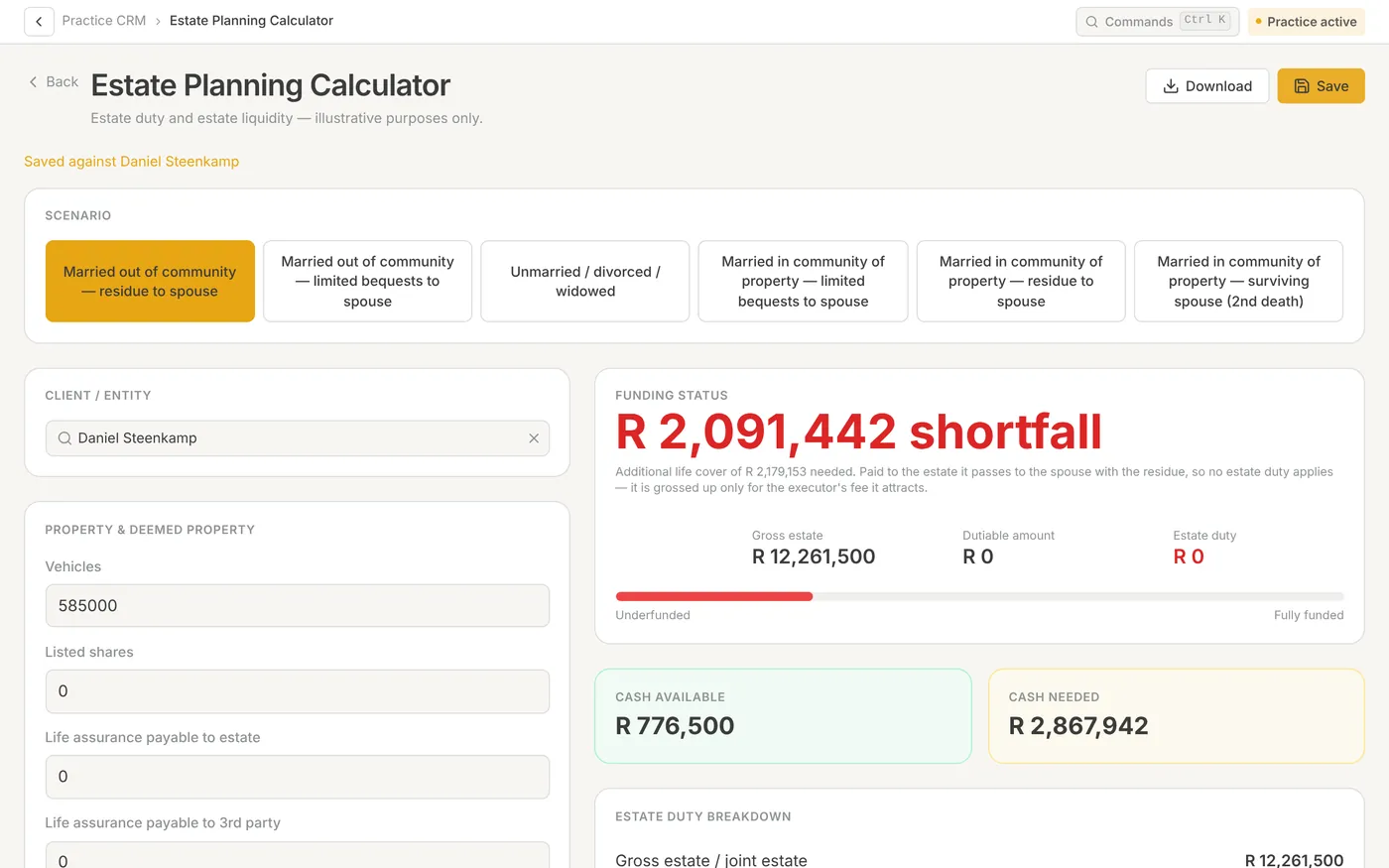
The financial profile shows where a household stands today, reading cover straight from the policy book. One click opens the calculators already filled in, and every scenario is saved against the client.
- Retirement gap and provision for dependants
- Estate planning liquidity across marital regimes
- CGT calculator on the tax tables you maintain
- Premium and cover projection across up to five insurers
- Portfolio report builder that assembles one client PDF
Running more than one practice? Add Head Office.
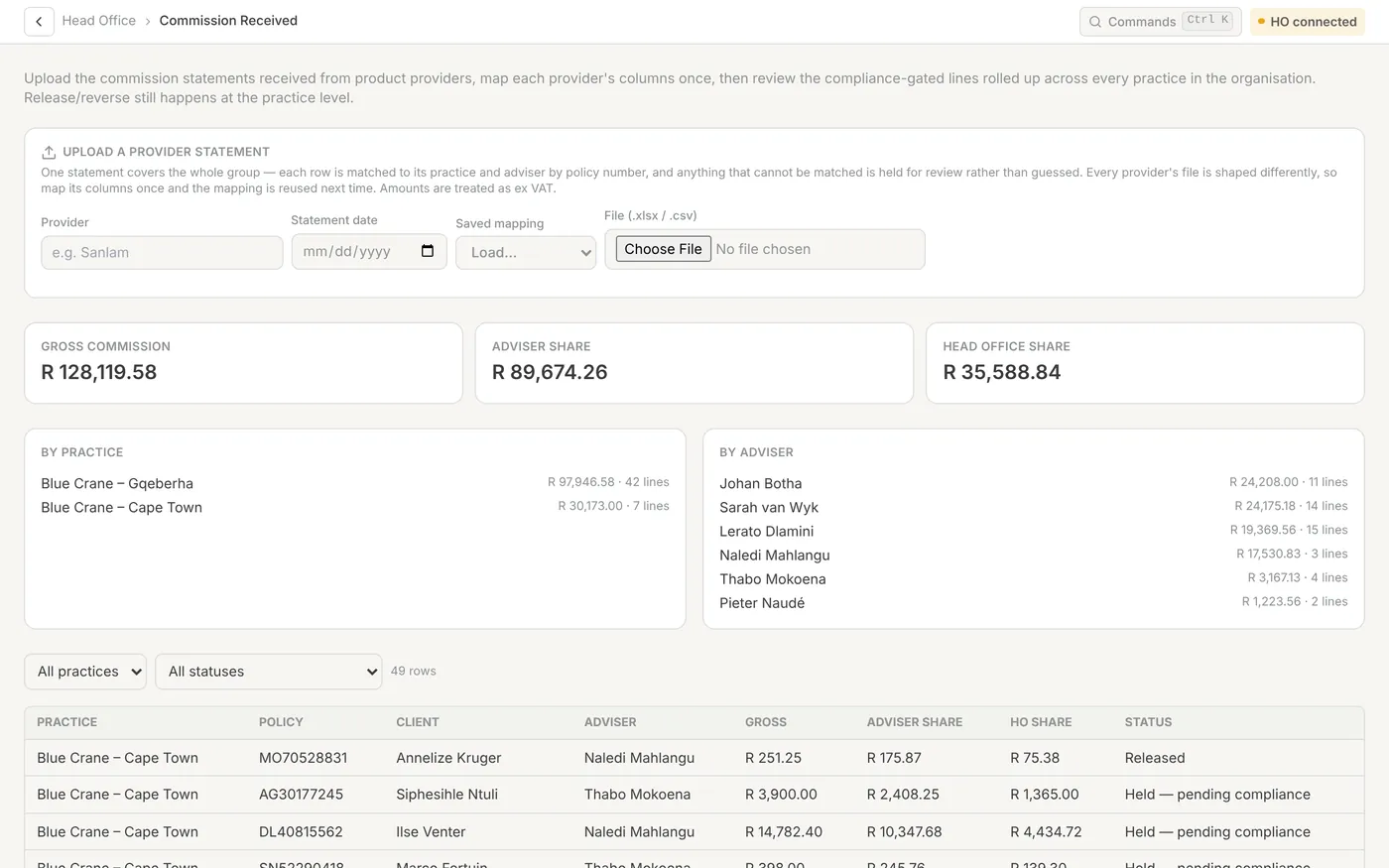
See every practice from one place. Sign off compliance, receive commission for the whole group and split it by practice and adviser. Practices keep running their own day-to-day work.
- Practice health, users and AI usage across the group
- Compliance review: commission is released only on approval
- Adviser fit and proper, CPD, FICA and debarment profiles
- Head office access into a practice is time-limited and visible
Built for client data that matters
Simple per-seat pricing. No seat caps.
You pay for what each person’s role can do. Administrators aren’t charged adviser rates. Monthly debit order, no minimum term.
Admin seat
R300
per user / month
Advisor seat
R600
per user / month
Co-Sec & Estates
+R300
add-on per user
What advice firms ask us
Is Wealth Stakr built for South African practices?
Yes. It grew out of a working South African advice practice. Commission and VAT handling, debit-order billing, FICA document packs, South African ID checks, CGT tables, company and trust registers and estate work are modelled on local practice — not bolted onto a foreign CRM.
Can an adviser see the whole practice’s book?
Only if you give them that role. Advisers can be limited to their own clients and their own earnings. Practice owners and administrators can see the firm as a whole.
Do we have to move everything at once?
No. Most firms start with the client book and policies, then switch on commission and compliance. Clients import from a spreadsheet with a preview first, and existing leave can be uploaded too.
We run several practices. What do we get?
A Head Office portal across all your practices: practice health, adviser compliance, compliance sign-off, commission received and how it splits, and head office tasks. Each practice still runs its own day-to-day work.
How much does it cost?
Admin seats are R300 and Advisor seats R600 per user per month, excluding VAT. There are no seat caps and no minimum term. See the pricing page for examples.
See it with your own practice in mind.
Book a 30-minute demo. We walk through a client file, a compliance folder and a commission run, then price your seat mix on the call.