Everything a practice runs on, on one client file
From the first meeting to the commission run. Every screen below is the real product, shown on a fictional demo practice.
Capture a client once, properly
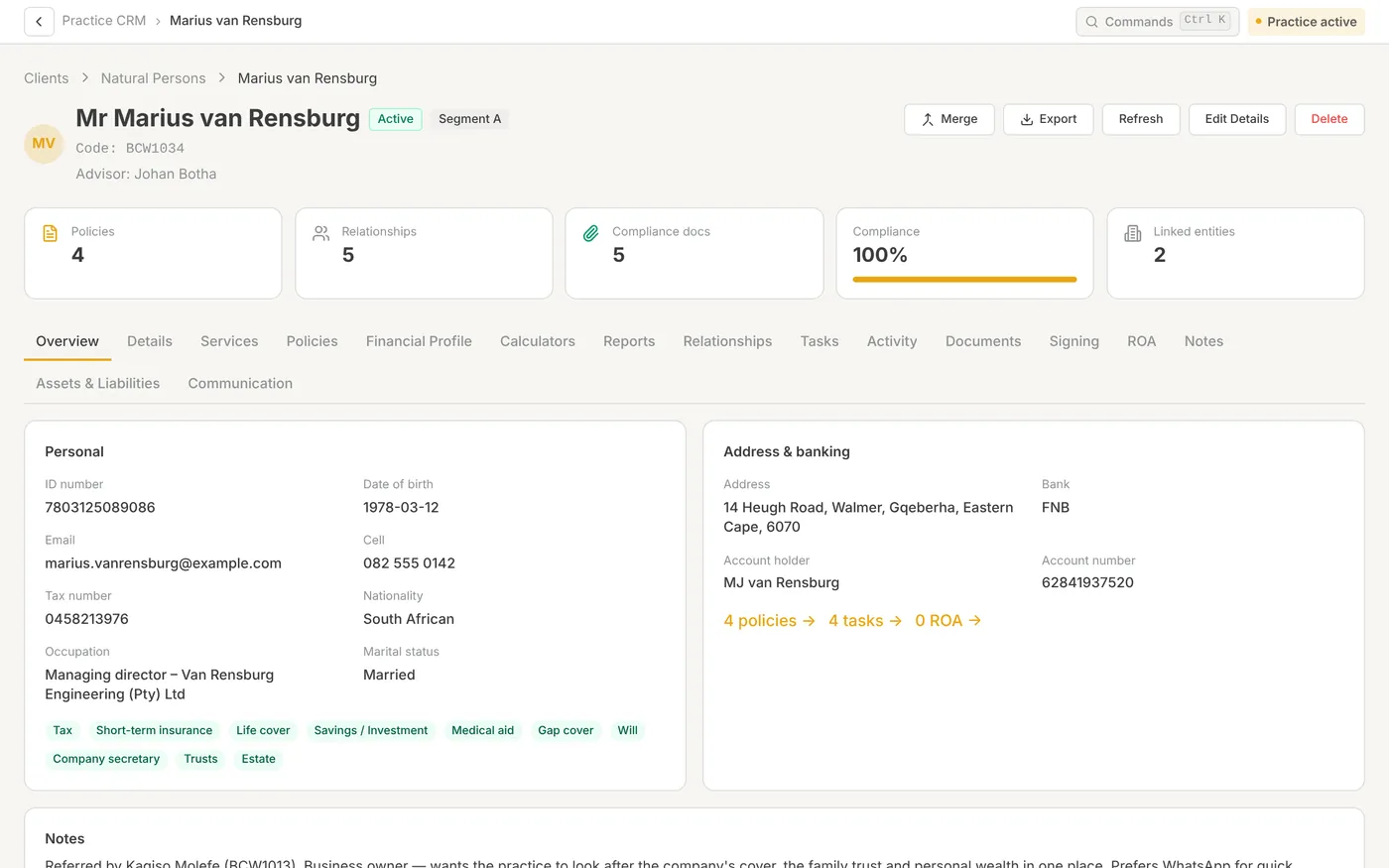
The new-client form has seven tabs. FICA documents uploaded here are filed in the client’s documents and later pre-fill compliance folders. For a whole book, the import wizard maps your spreadsheet columns and shows a preview first.
- 13-digit SA ID checksum fills in date of birth and gender
- Duplicate check by name and ID; client code allocated on save
- Spouses, companies and trusts linked as real records
- Sixteen tabs on the client file cover the whole relationship
- Activity log records who changed which fields, and when
Work that doesn’t live in someone’s head
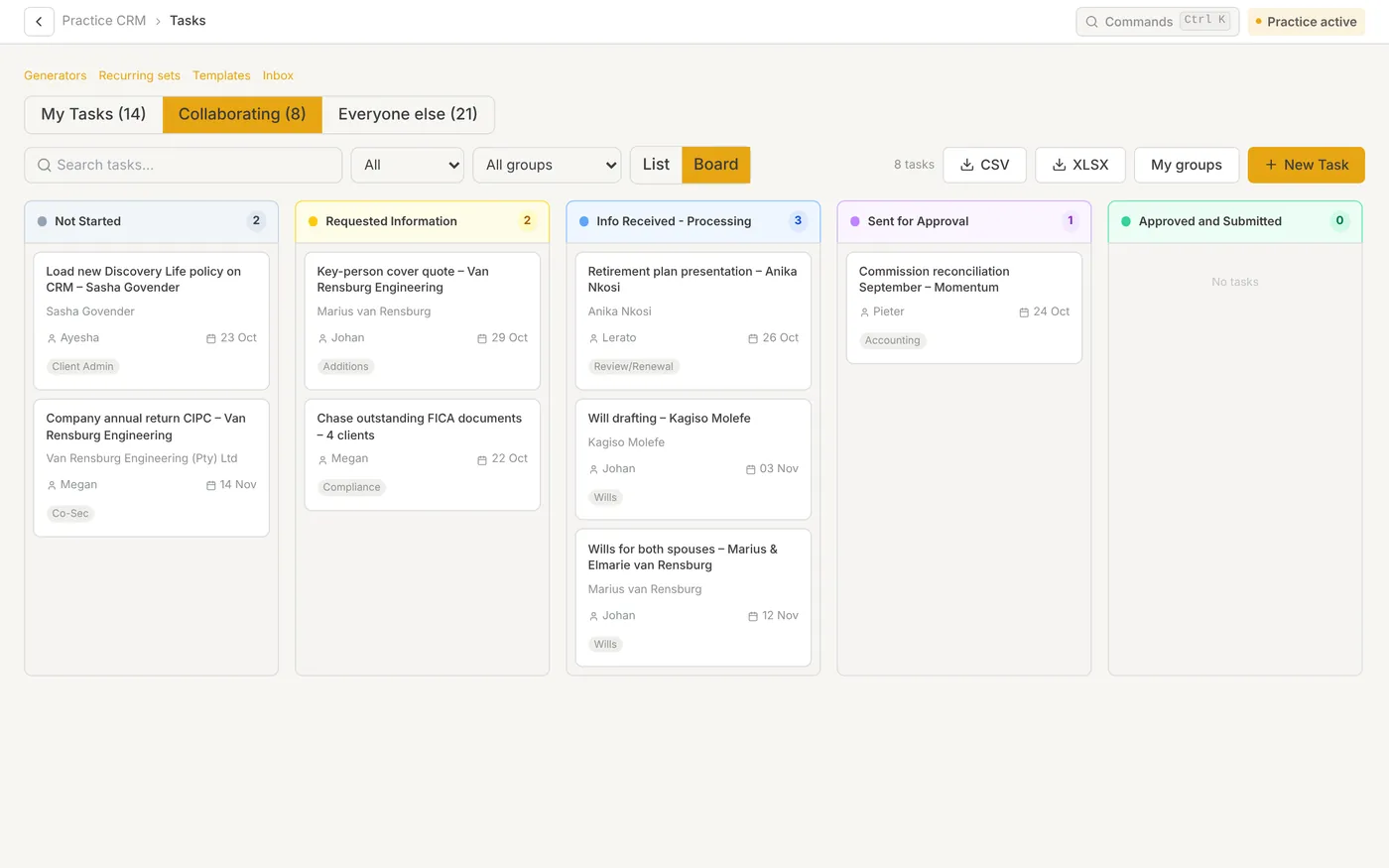
Tasks follow people and clients. The creator and assignee are added as collaborators automatically, and reassigning never drops the previous person. The task inbox replaces the internal email chain.
- List or board view; drag to change status
- Comments, reactions, timers and due dates on every task
- Each update lands in the inbox of everyone else on the task
- Templates create a parent task and one sub-task per step
- Task generators raise VAT, EMP201 and tax tasks from client service flags
One inbox for everything that needs you
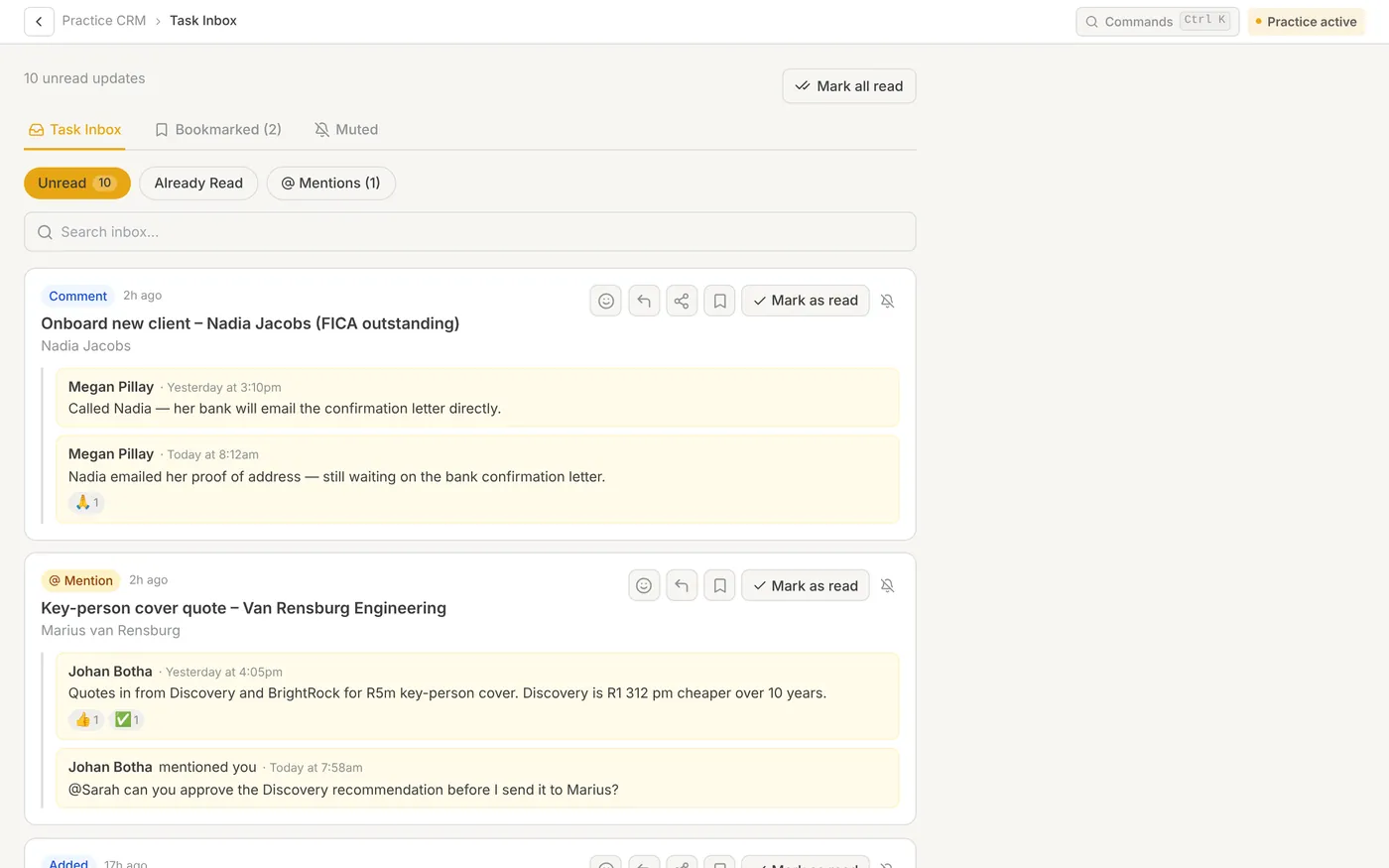
Each card is one task with its latest updates. You never get notified of your own changes. Bookmarks and mutes are personal, so everyone keeps their own inbox tidy.
- Unread, already read and mentions in separate views
- React or reply without opening the task
- Mark as read, bookmark or mute per task
Renewals and quote comparison, side by side
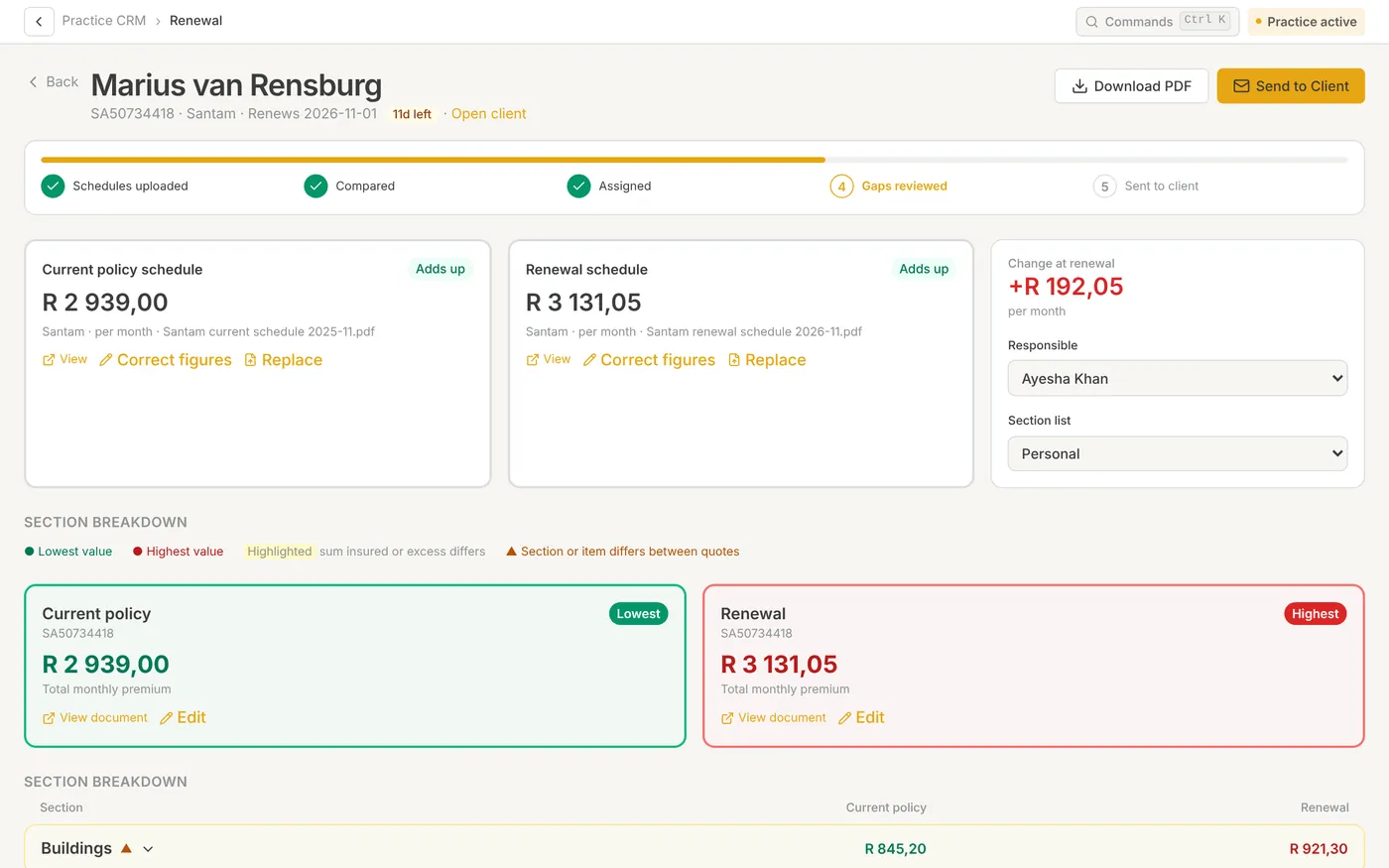
A renewal scan raises one renewal task per policy due within 90 days and never duplicates one. Upload the current and renewal schedules; AI reads them item by item and only trusts a schedule when its sections add up to the insurer’s own total.
- Overdue, 30, 60 and 90-day views of every renewal
- Premium change per month, dropped cover and gaps to decide on
- Client renewal notice with a book-a-meeting link
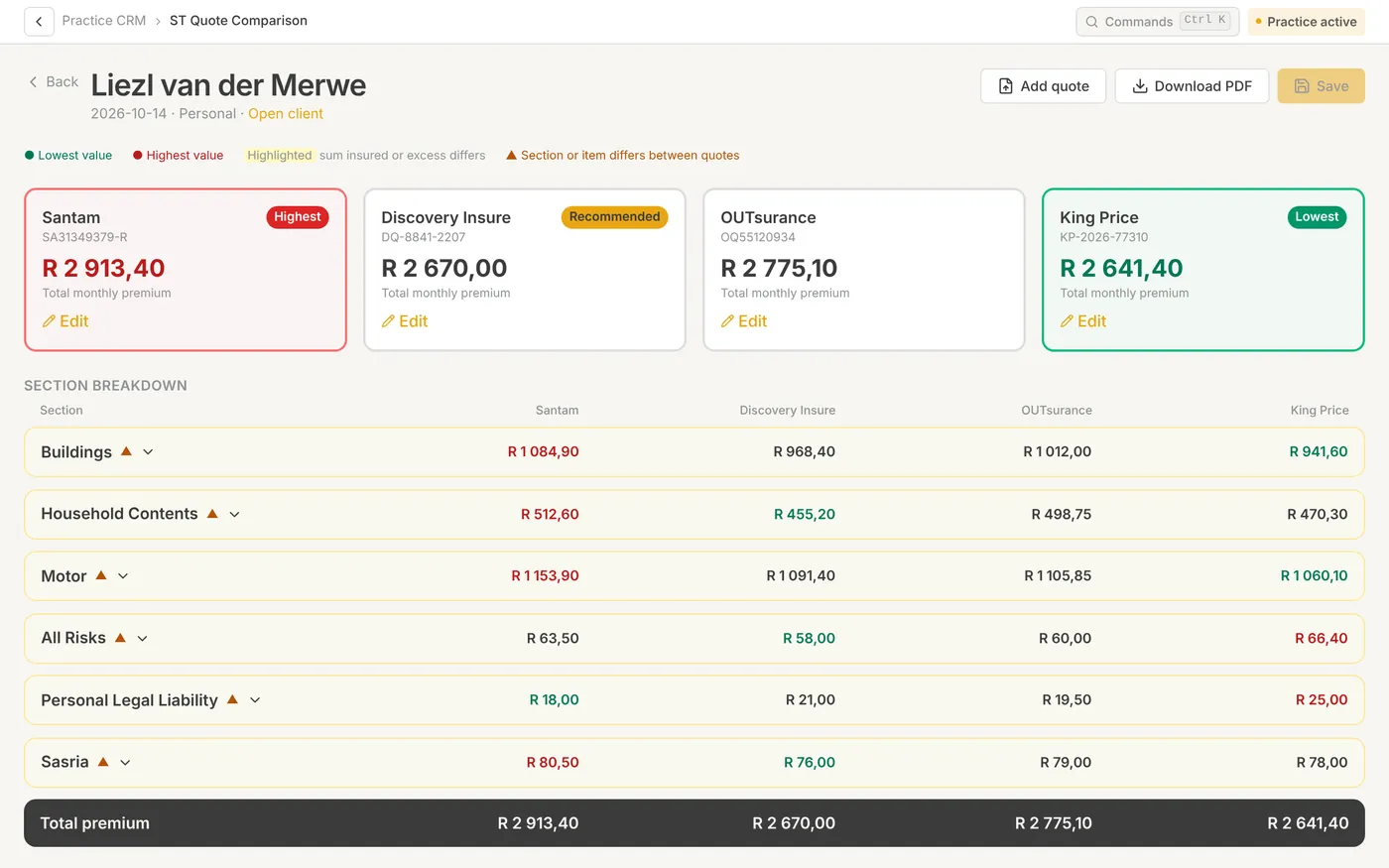
- Compare two to five new quotes with lowest and highest marked
- Your recommendation printed on the client PDF
Shop the risk without the spreadsheet
Upload two to five short-term quotes. Sections line up across insurers so you can see what each one covers and charges, then record why you recommend one.
- Quotes filed in the client’s documents automatically
- Section-by-section breakdown across insurers
- Saved comparisons appear on the client’s Calculators tab
Compliance folders and Records of Advice, in the flow of the work
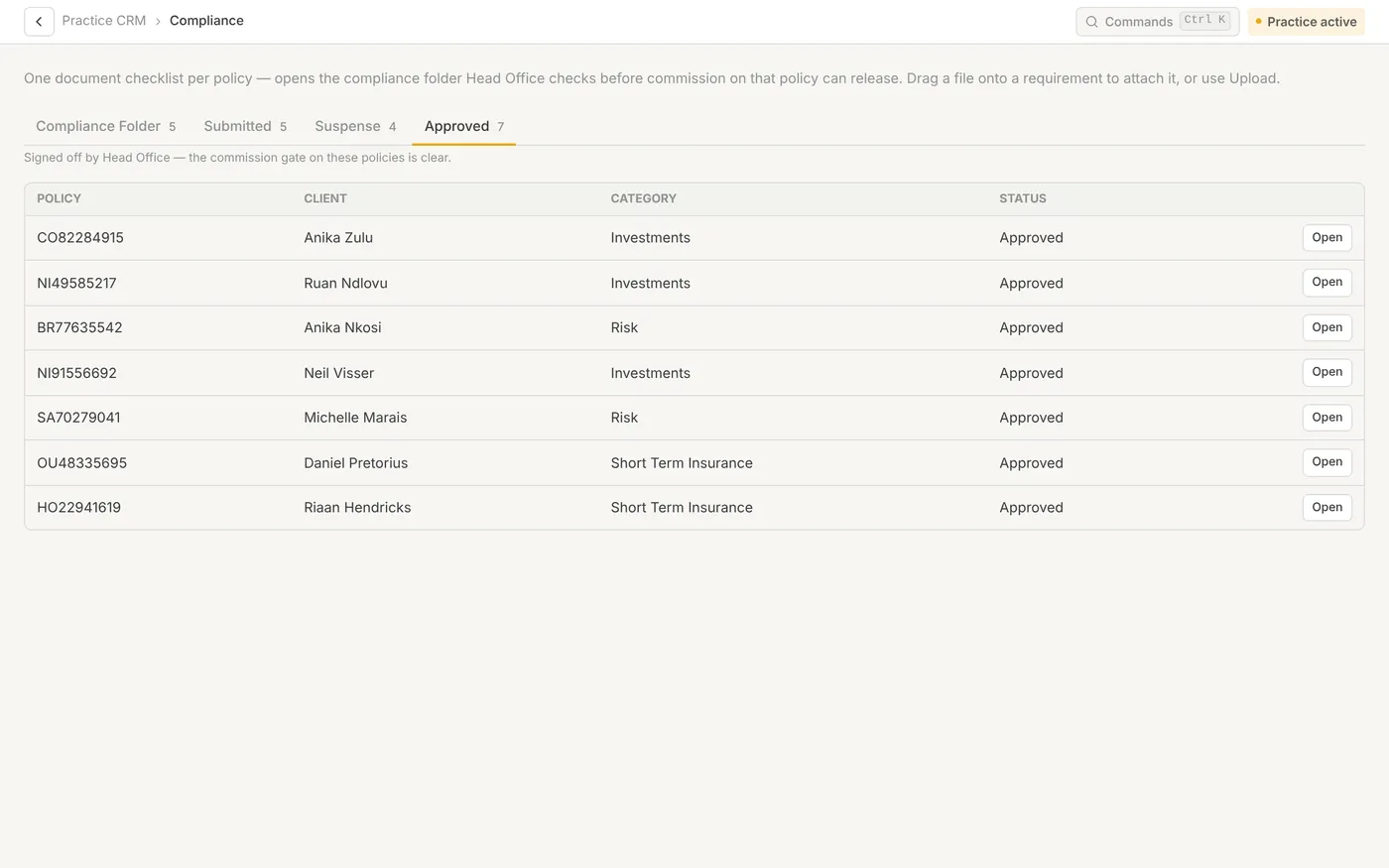
A compliance folder is opened client-first and can cover several policies. Each category has its own document list. The ROA builder drafts each section of the Record of Advice from the documents you upload, for you to review and edit.
- Rules-based completeness check on submit
- Head office requests shown against the exact document
- Disclosure generated pre-filled with the client’s details
- ROA sections reviewed, edited and regenerated one at a time
- Finished ROA committed to the client profile
From statement to each adviser’s payout
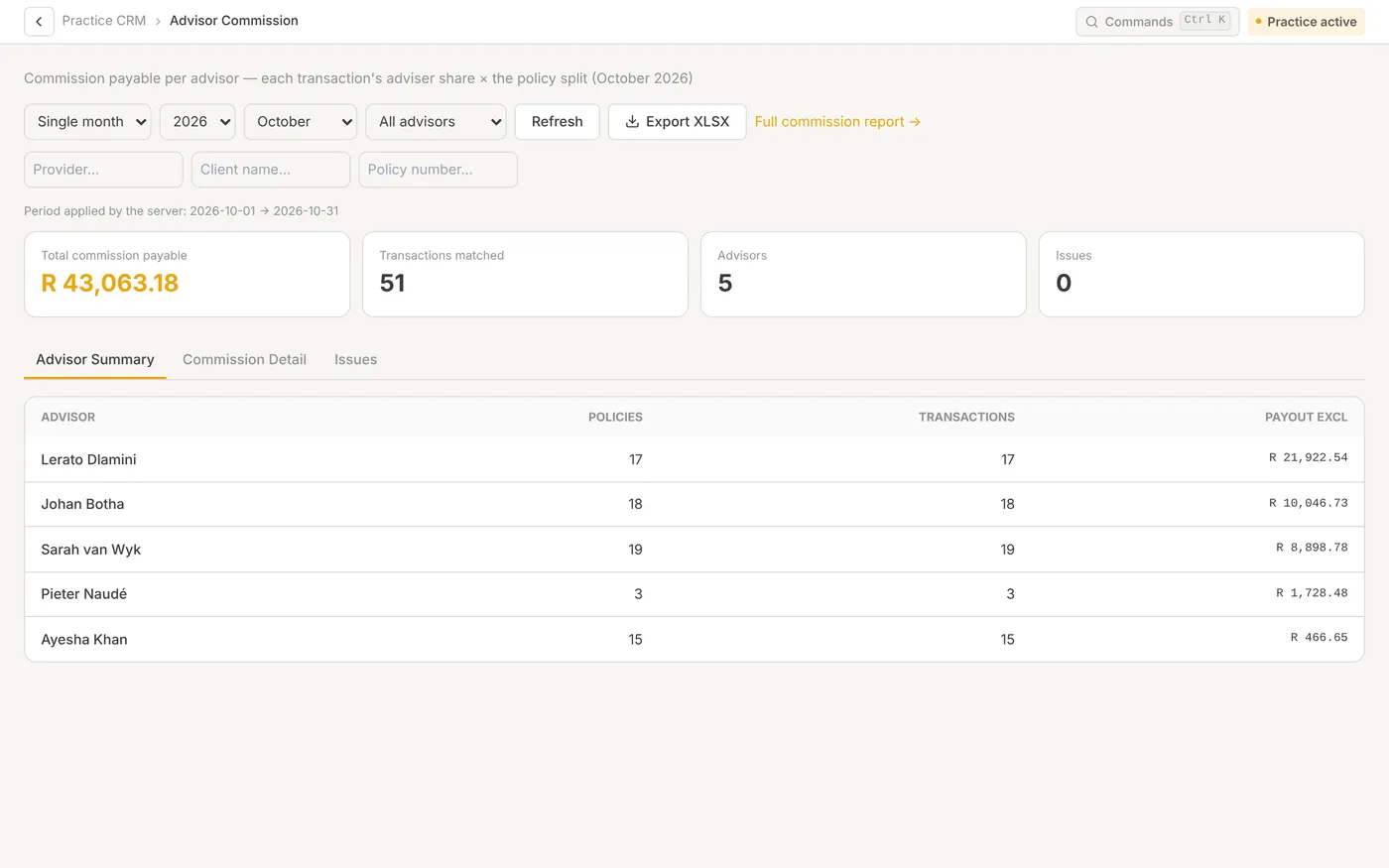
Import the remittance file unchanged. Every policy carries adviser splits with effective dates, so a handed-over book, a co-advised client or an administrator’s small share is handled per policy. A month that has already been paid never changes when re-run.
- Payment run per adviser with an issues tab
- Export to Excel for payroll or EFT
- Commission pipeline shows every held line and why
- Discrepancy report checks remittances against your own book
- My earnings for each adviser on their own book
Planning tools that start from the client’s own numbers
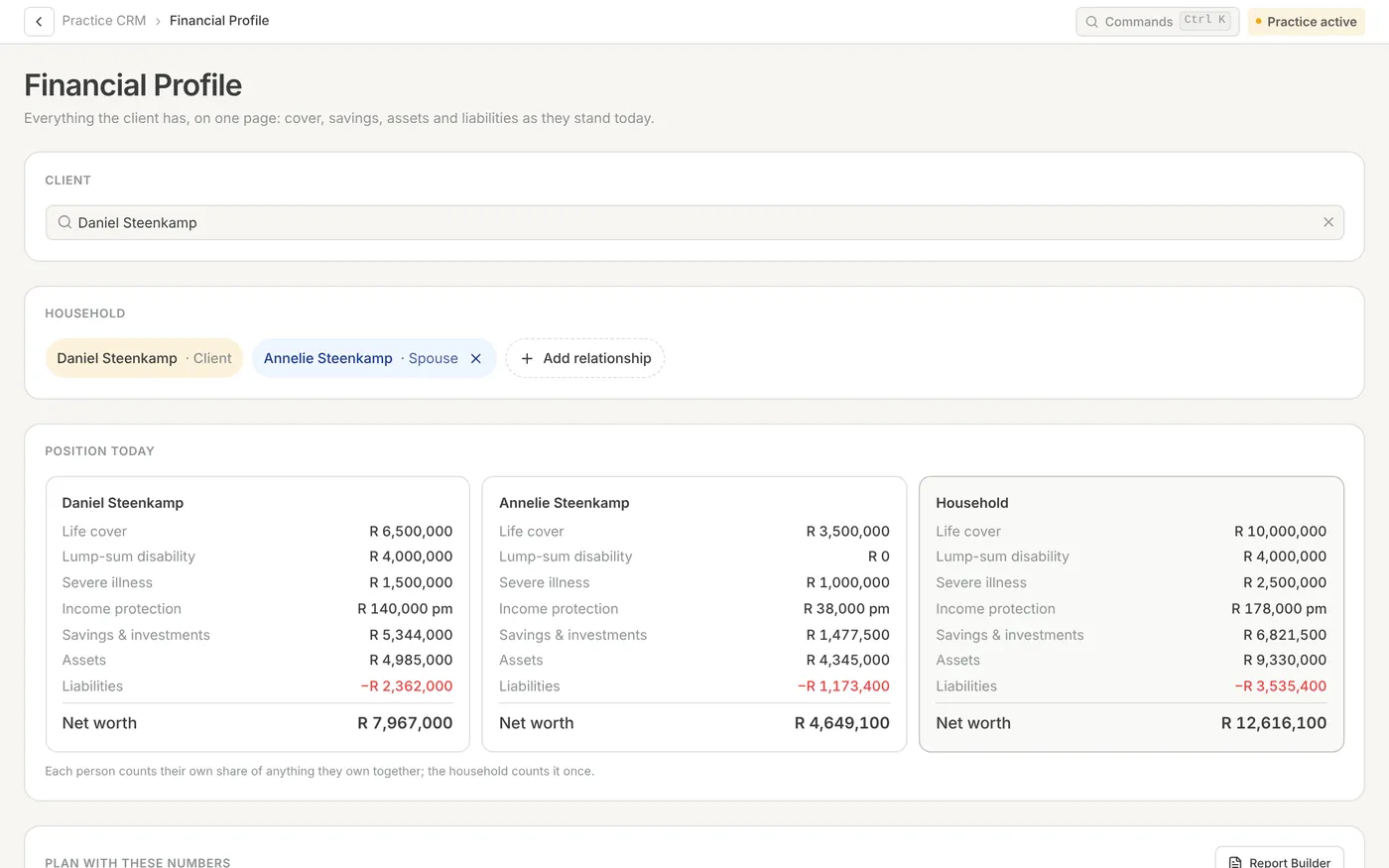
The financial profile is the household’s live position today, with a column per spouse and a household total. Cover reads straight from the policy book. “Plan with these numbers” opens the calculators pre-filled.
- Retirement gap and provision for dependants, reopened and updated in place
- Estate planning liquidity across six marital scenarios
- CGT calculator on the tax tables your practice maintains
- Long-term premium and cover projection across up to five insurers
- Portfolio report builder assembles one branded client PDF
Every calculator saved against a real client
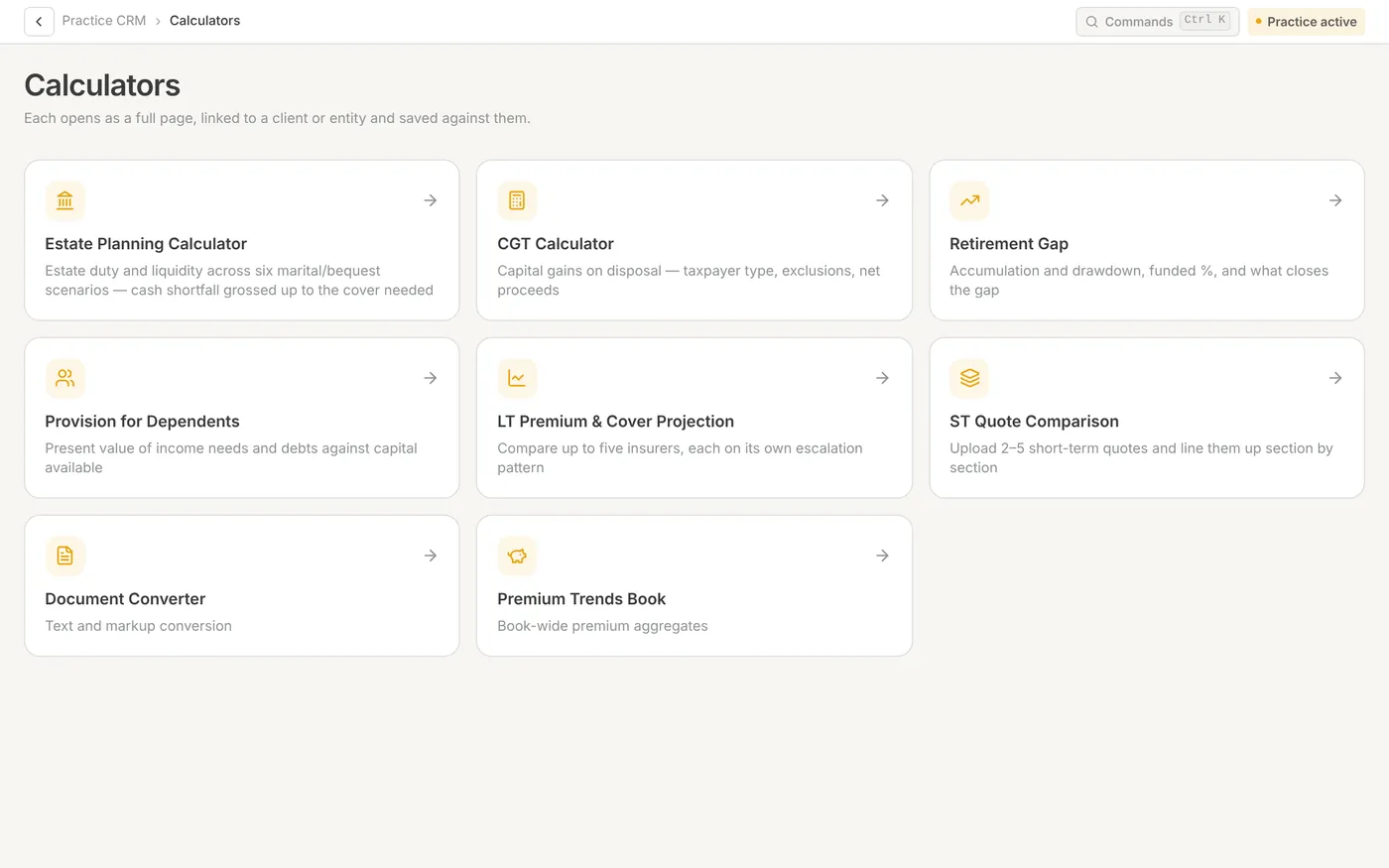
Each calculator opens on its own page, is linked to a client or entity and is saved where you’ll find it again: the client’s Calculators tab and the report builder.
- Estate planning, CGT, retirement gap
- Provision for dependants and cover projection
- Short-term quote comparison and premium trends
Run the team from the same system
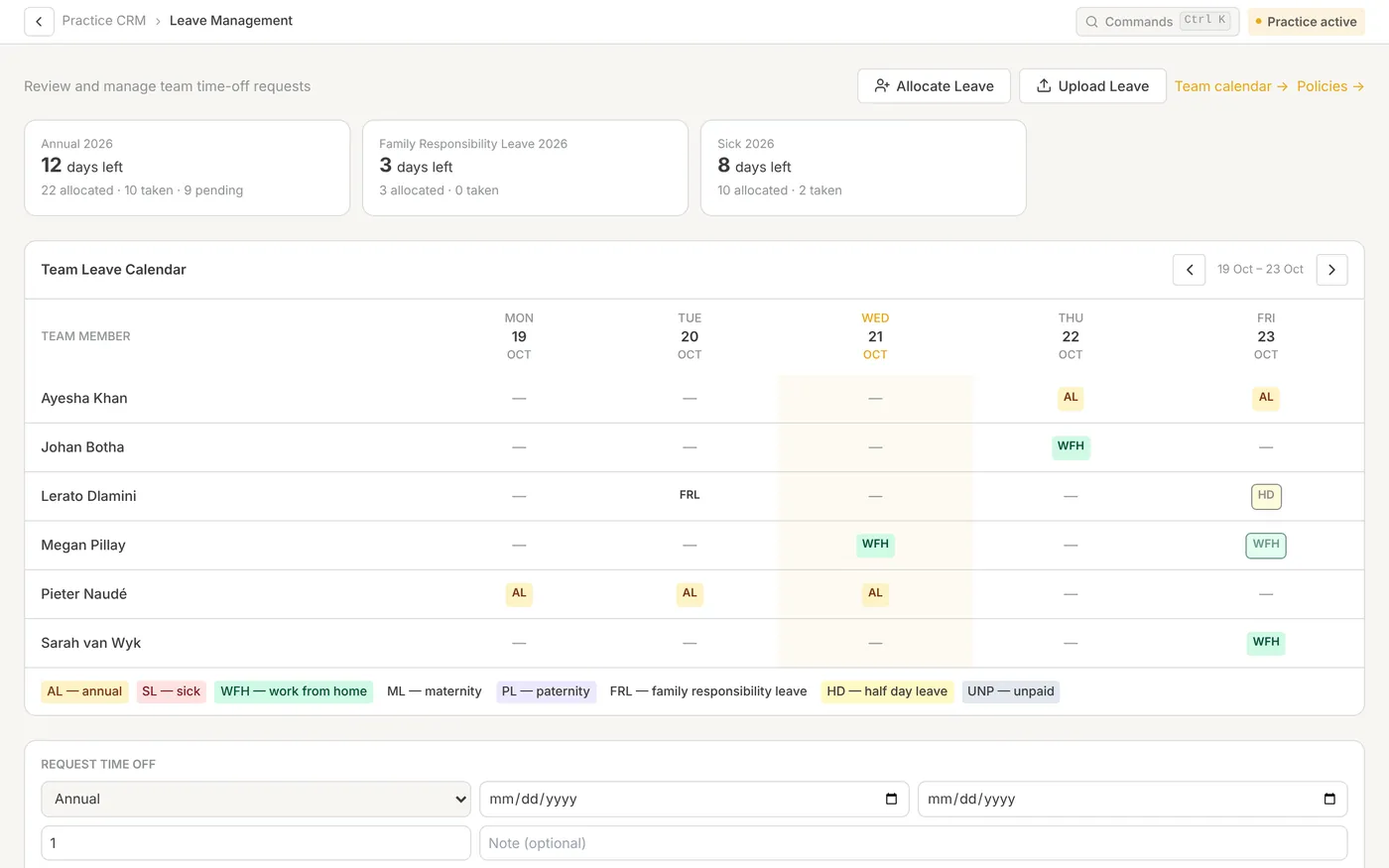
Each leave type follows a rule the practice sets. Approvers are chosen by role. Time is logged against the tasks the team already works from, with one running timer per person.
- Team leave calendar, requests, approvals and balances
- Allocate leave, or upload existing leave from a spreadsheet
- Time by client, person, task, category, billable and non-billable
- Task-duration report shows how long work really takes
Find it, get it signed, keep it on the file
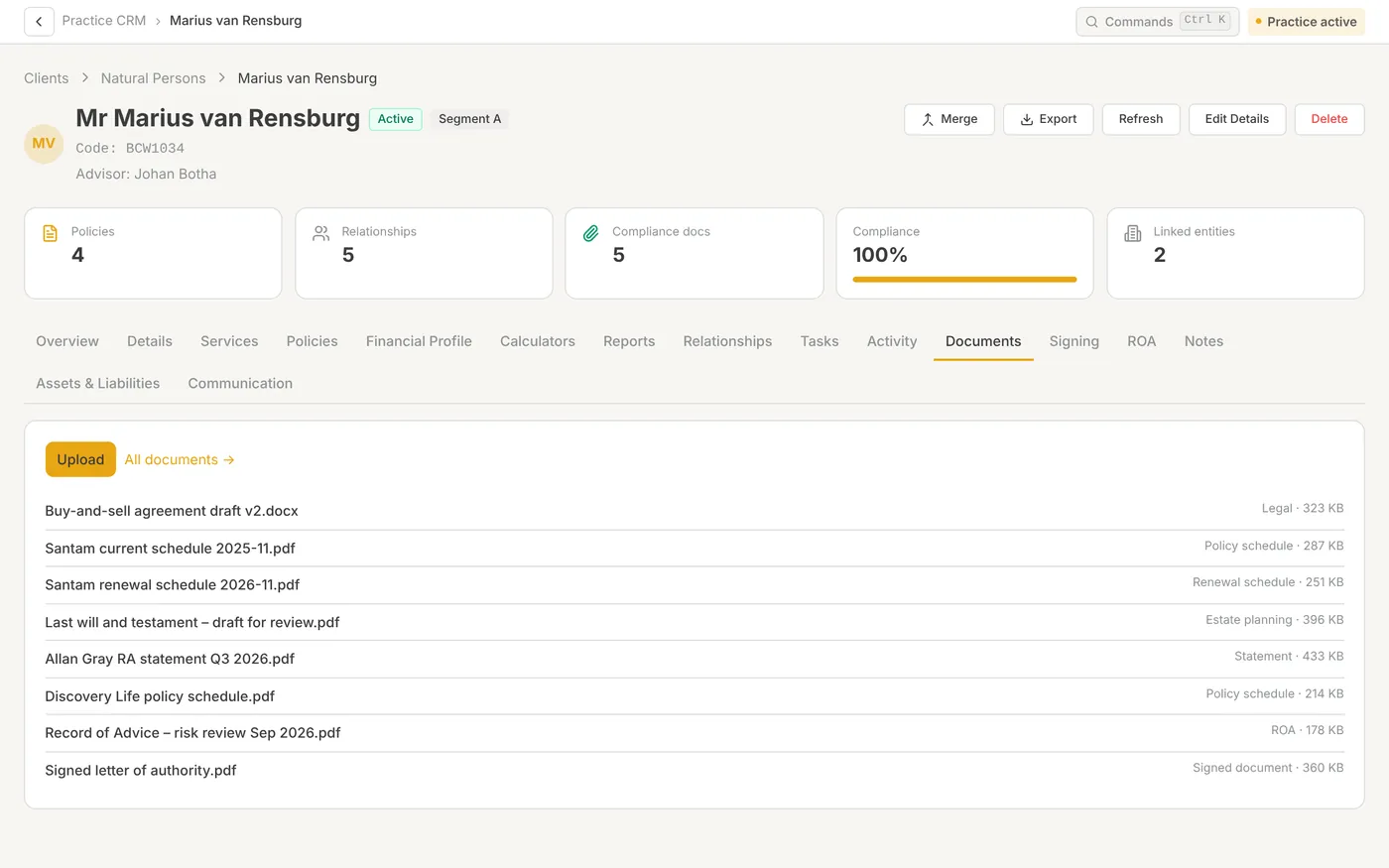
Documents sit against the right client. Start an e-signature request already filled in for that client, and the signed document comes back to the file.
- Documents stored per client and per matter
- E-sign packs with a set order of signers
- Clients sign from a link, with no new password
An assistant that knows your book
Ask Stakr answers questions in plain language using your own client records, limited to what your role can see. It can also walk you through how to do something in Wealth Stakr, using the How-To guides.
- Answers from the client book, not the internet
- Respects the same role and book limits as the rest of the system
- AI usage is metered with visible balances and top-ups
- Help reading policy schedules, quotes and ROA documents
“Which of my clients have a renewal due this month?”
“What should I upload for a Record of Advice?”
“Show me Marius’s policies and open tasks.”
“How do I set up leave approvers?”
Co-Sec & Estates
Statutory and fiduciary work beside the advice book, for the people in your practice who do that work. R300 per user per month.
Company & CC registers
Officers, directors and changes on record.
Share movements
Share register and a simple organogram when you need it.
Trust workspace
Trustees, beneficiaries and documents in one place.
Deceased estates
Estate work on a stage board so the file does not scatter.
The everyday tools around the advice
Personal dashboard
Renewals, tasks and messages, arranged to suit each person’s role.
Team chat
Internal messaging for the practice, so client work stays out of WhatsApp.
Calendar & bookings
Team calendar and client booking links against real availability.
Your branding
Your logo and colours on the practice and on client documents.
Roles & permissions
Standard roles to start from, adjusted to how your practice works.
Imports
Clients, policies, commission and leave from the spreadsheets you have.
Branded PDFs
Client-ready reports saved straight to the client’s documents.
How-To guides
Step-by-step guides in the app and as PDFs. Browse
Prefer a slide-by-slide walk-through? View the platform overview
Added since October
Wealth Stakr is released every week or two. These are in the product today.
Chats
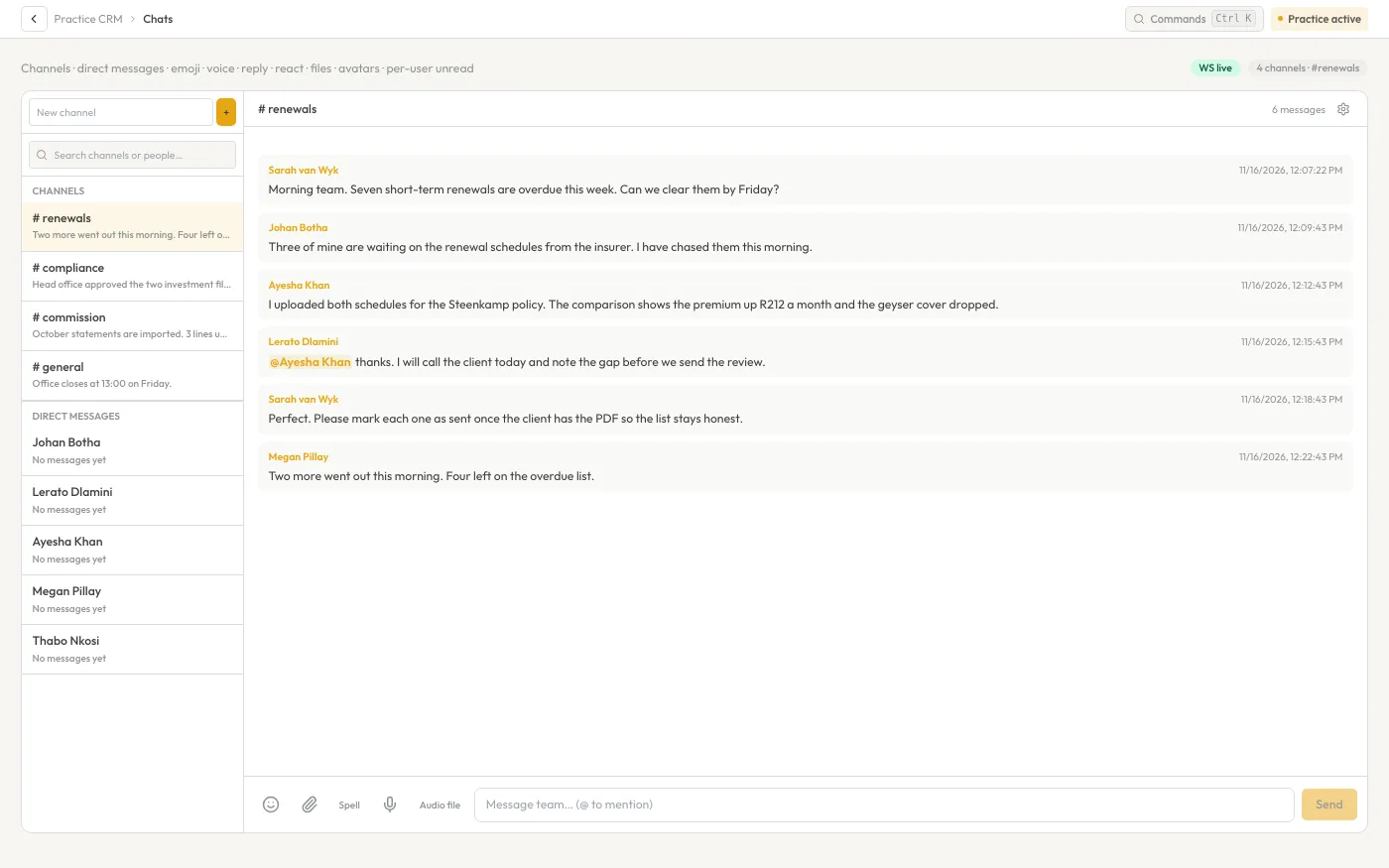
Channels and direct messages inside the practice. Send screenshots and documents, and @mention a colleague so they are told.
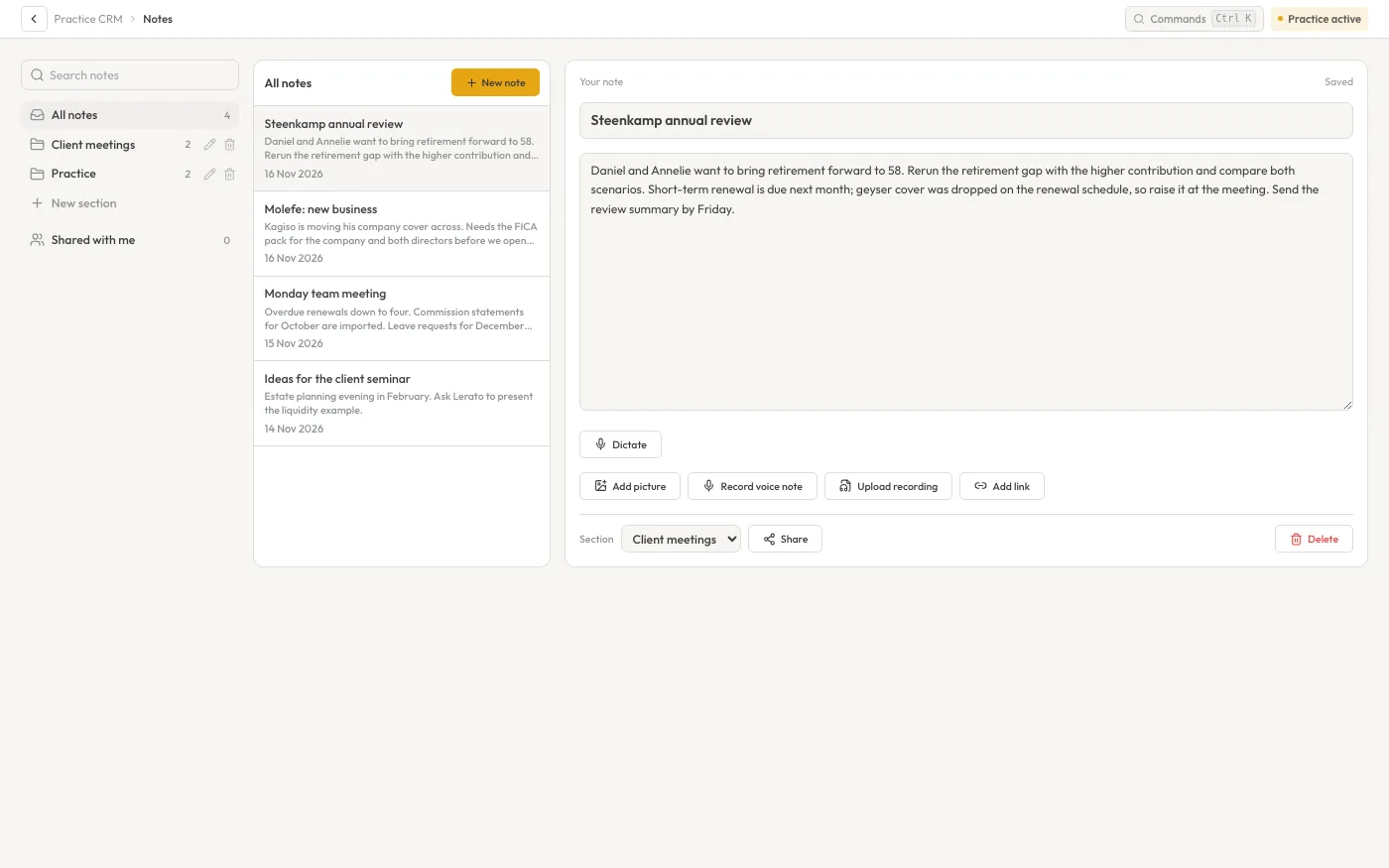
Notes with dictation
A Notes page with dictation and voice notes. Client consent is confirmed before each dictation and shown on the note.
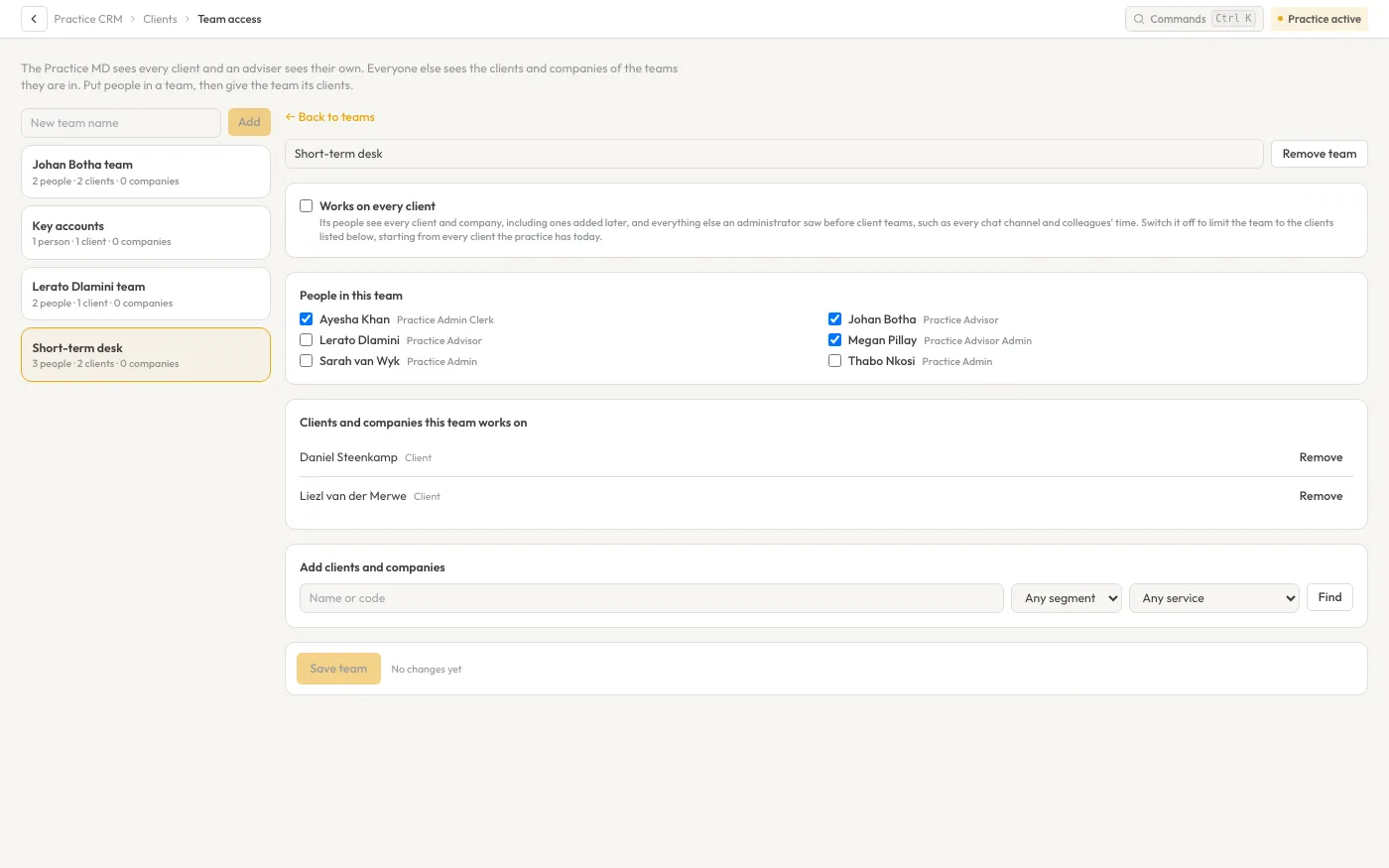
Client teams
Decide, team by team, who besides the MD and the adviser can open a client.
Sub-tasks and a side panel
File a task under a main task, and open any task in a side panel that saves as you go.
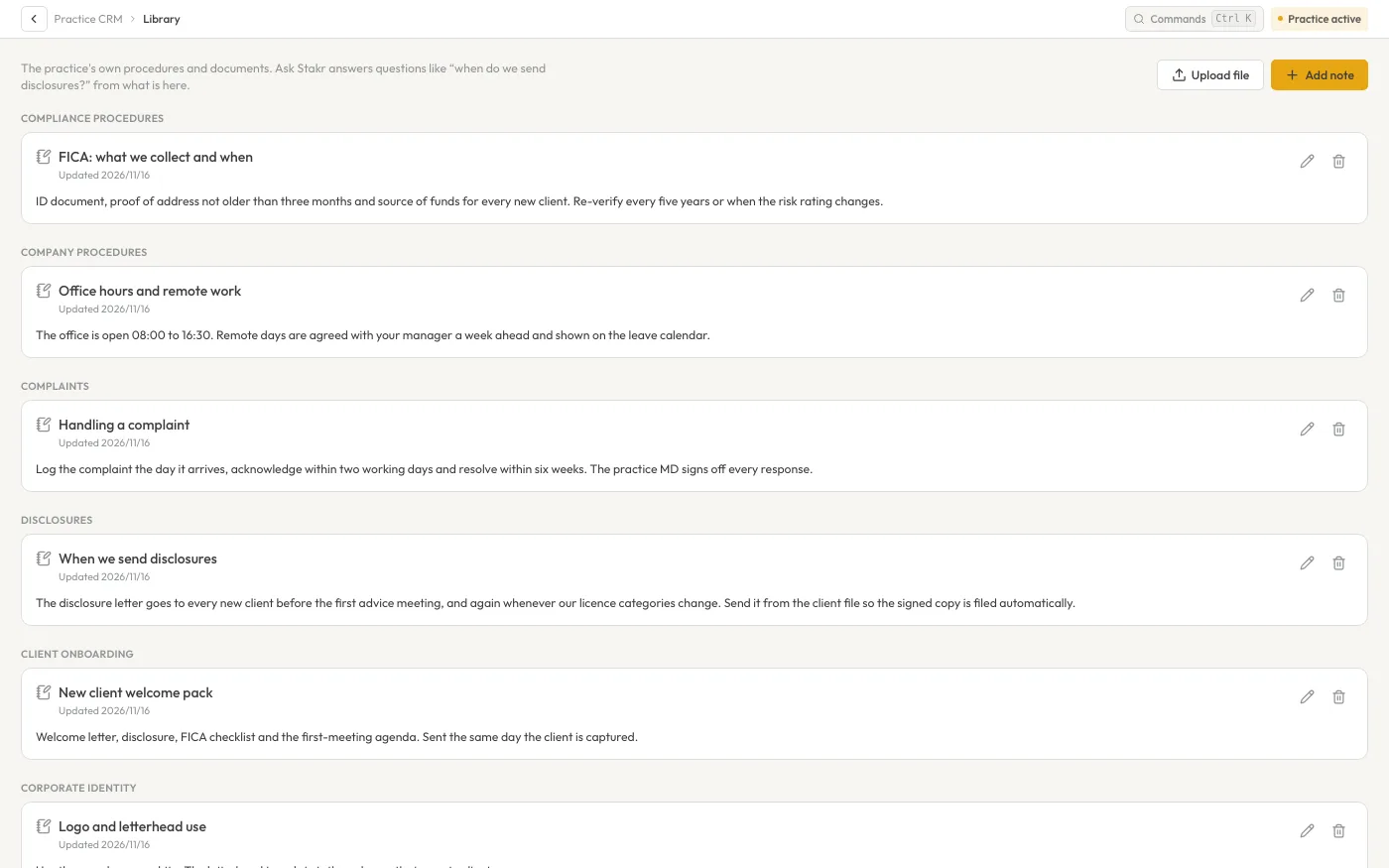
Practice library
Keep your procedures and documents in a practice library that Ask Stakr answers from. Head Office can share its own library with every practice.
Notifications
Chats, task updates and leave reach your device while Wealth Stakr is closed.
Timers that stop themselves
One timer at a time, a “still working?” check-in, and a forgotten timer stops itself.
Calculators on the client
Run the calculators and keep the Financial Profile inside the client’s own profile.
See it with your own practice in mind.
Book a 30-minute demo. We walk through a client file, a compliance folder and a commission run, then price your seat mix on the call.